
Bulk Enrollment Operations: A Faster Way to Manage Enrollment Requests

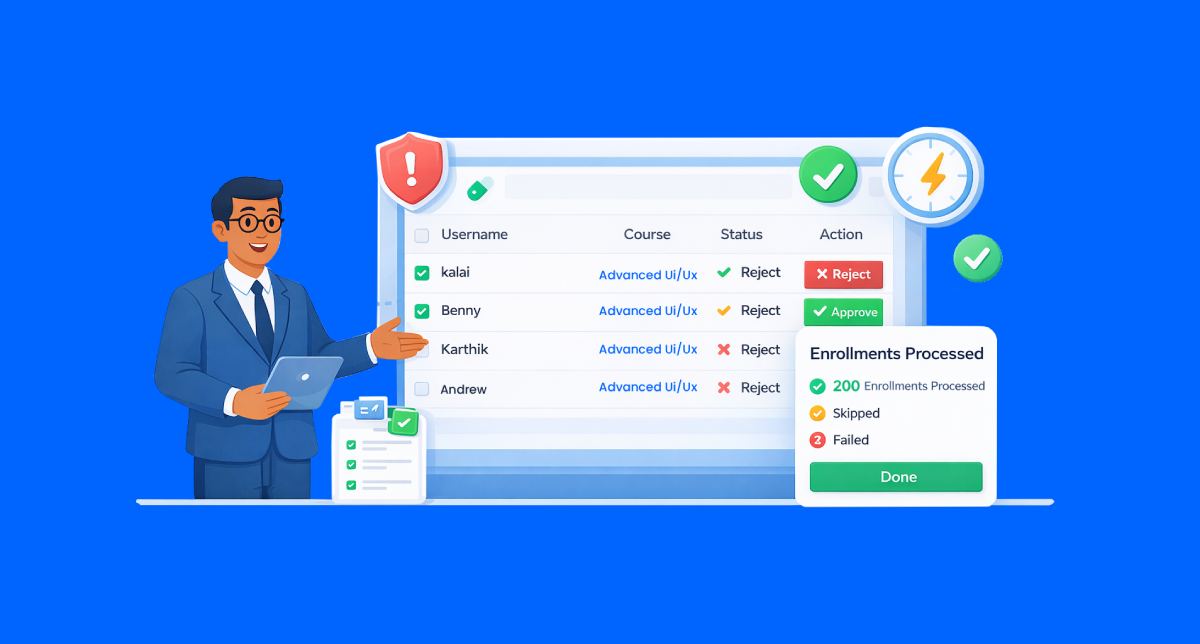
You can now bulk approve or bulk disapprove enrollment requests in one action, instead of reviewing them one by one. With AI-powered signals highlighting problematic submissions, admins can process large volumes faster, stay accurate, and keep a clean audit trail.
You’re in the middle of enrollment review
Twenty requests turn into fifty
Fifty turn into two hundred
And every single one still needs a decision
And that’s the problem
You’re not deciding complex cases.
You’re repeating the same action again and again.
Click approve
Click reject
Open the next request
It gets worse
Most of these decisions are obvious before you even open the record.
Now this changes. That manual workflow finally breaks.
We’re introducing Bulk Enrollment Operations, a new way to approve or disapprove enrollment requests at scale, without losing accuracy or control
What’s New
Bulk Enrollment Operations let admins process multiple enrollment requests in a single action.
Here’s what’s included:
- Consistent decisions at scale: No mismatched statuses or partial updates across enrollment requests.
- Immediate confirmation: Admins see exactly how many requests were processed, skipped, or failed.
- Built for high volume: Handles hundreds of enrollments without slowing down workflows.
- Admin-controlled moderation: Approve, reject, or request resubmission without engineering support.
Why it Matters
Enrollment moderation breaks down when volume increases.
With bulk operations, admins can:
- Reduce review time by hours, especially during peak enrollment cycles
- Eliminate repetitive decision-making on clearly valid or invalid requests
- Maintain a clean audit trail with moderator, reason, and timestamp recorded
- Avoid rework, since processed requests never reappear
The result is faster throughput without sacrificing oversight.
What’s the bottom line? You spend time on edge cases, not routine approvals.
How it works?
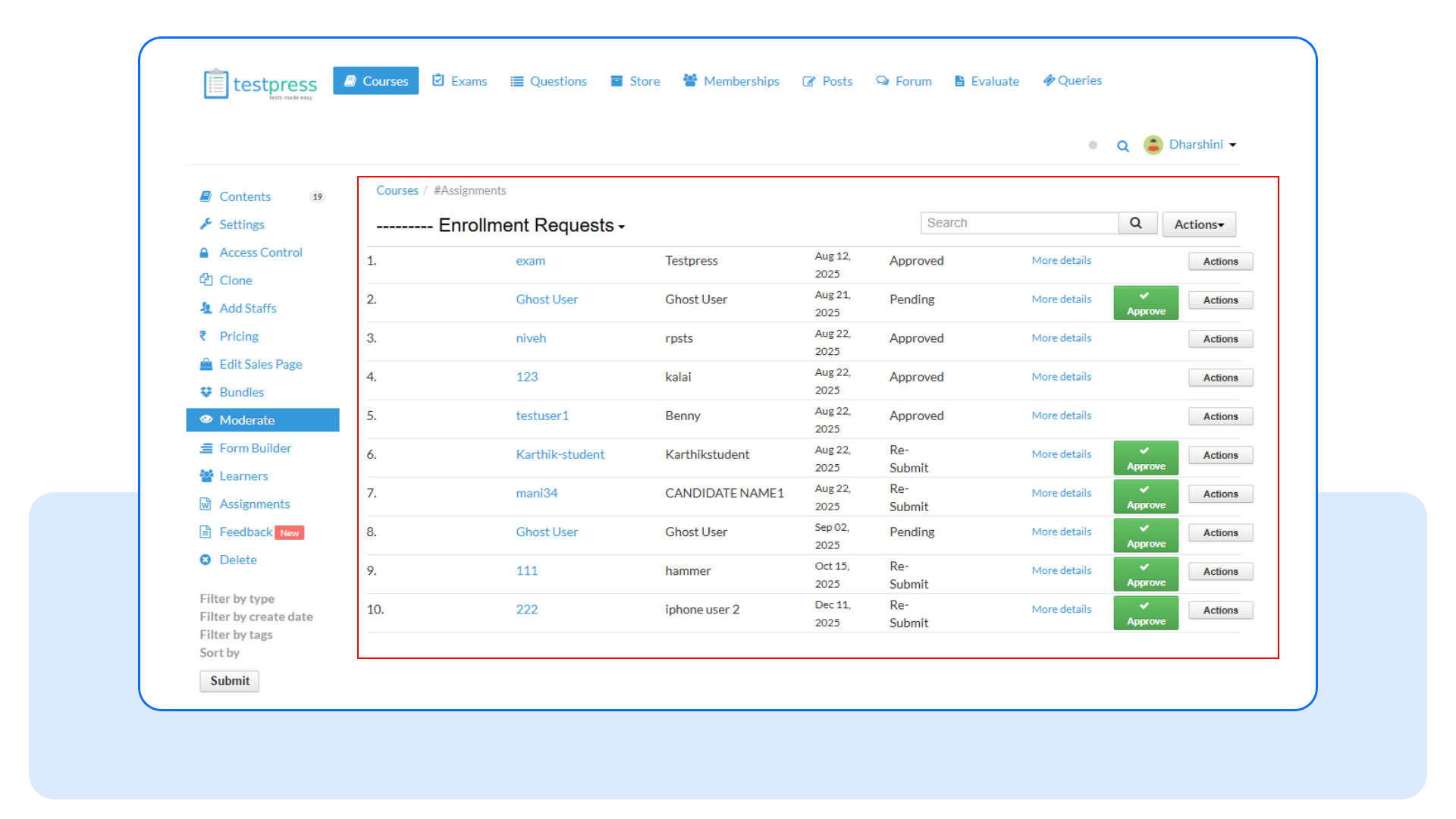
Step 1: Open enrollment requests
Go to Moderate under courses to view all pending enrollment requests for the course.
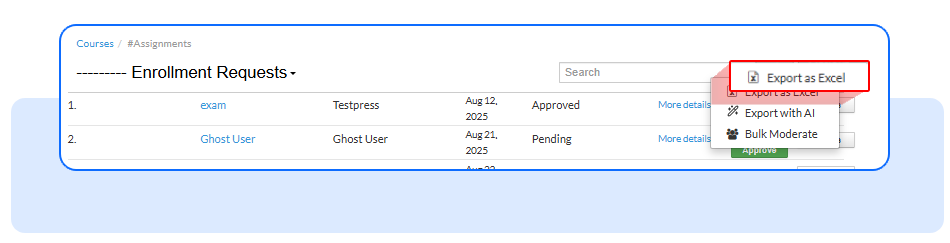
Step 2: Export the enrollment list
Click Export to Excel. The enrollment list will be sent to your registered email.
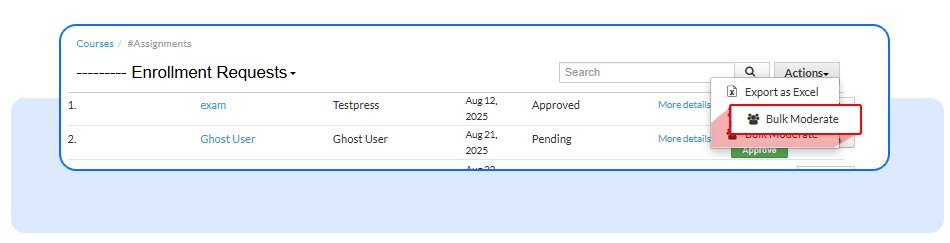
Step 3: Open bulk moderation
Click Bulk Moderate to start approving or rejecting requests in bulk.
Step 4: Select enrollment requests
4.1- Copy usernames from the Excel file and paste the ones you want to approve
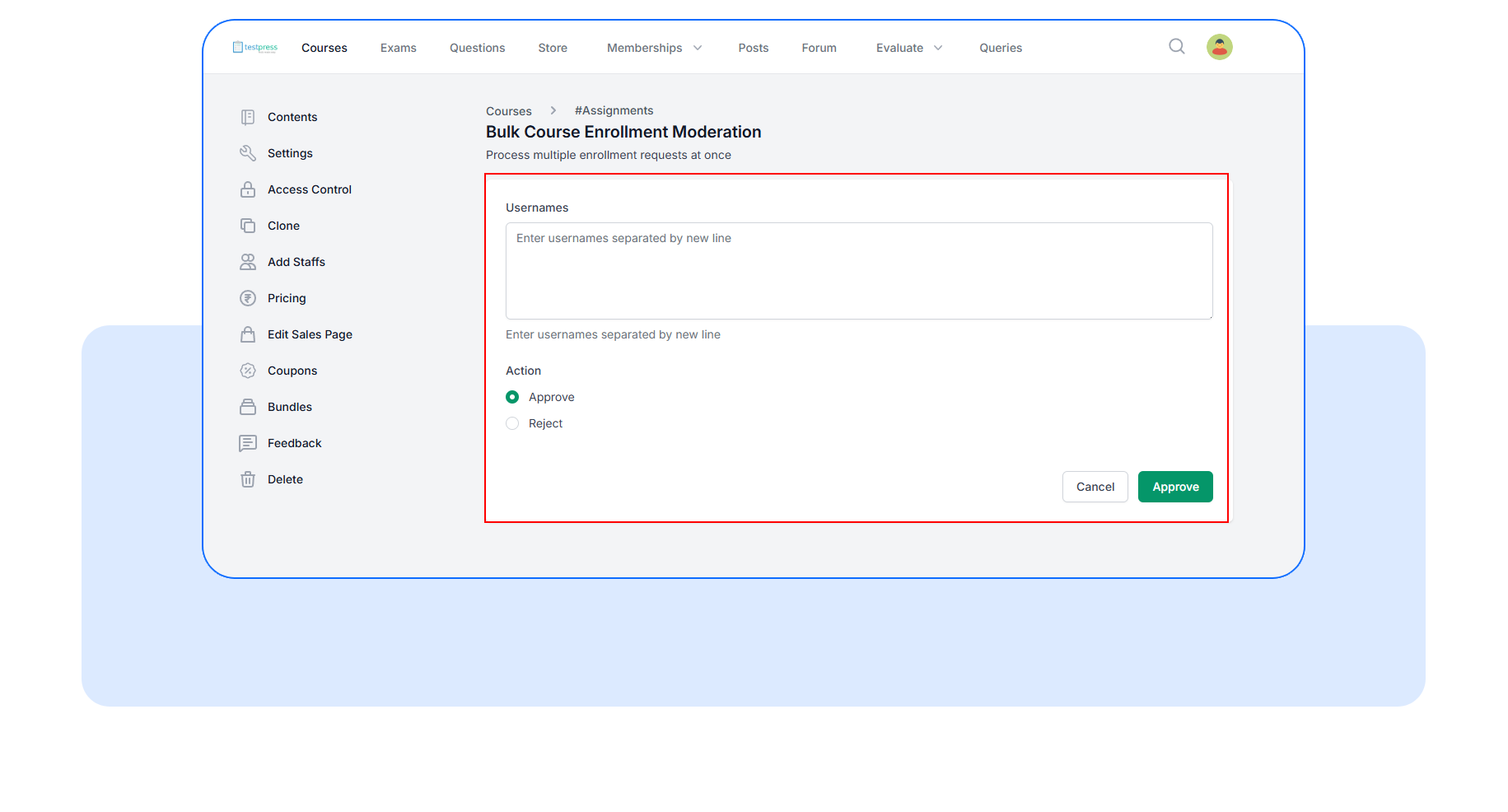
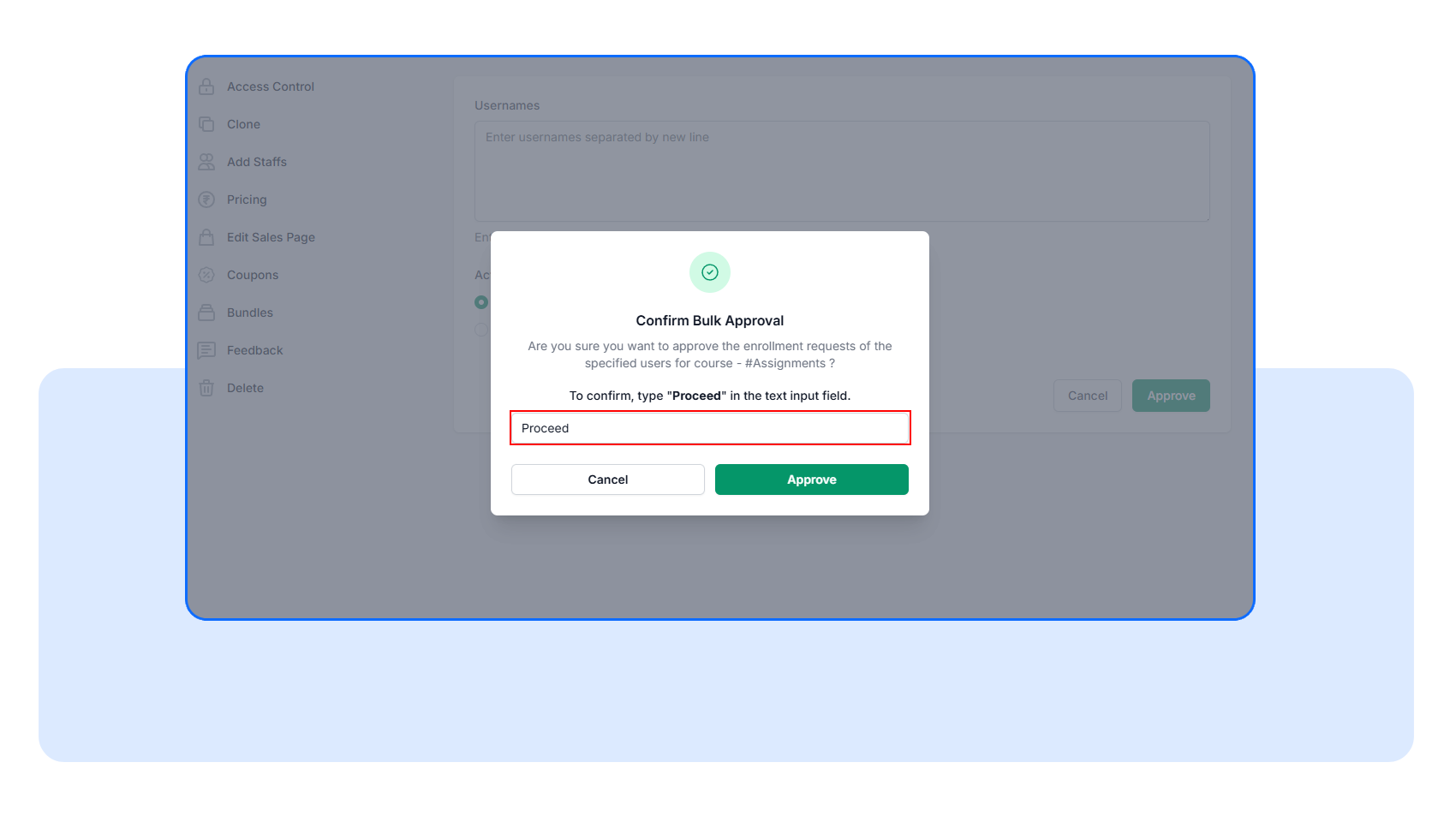
Type Proceed to confirm and complete the bulk approval.
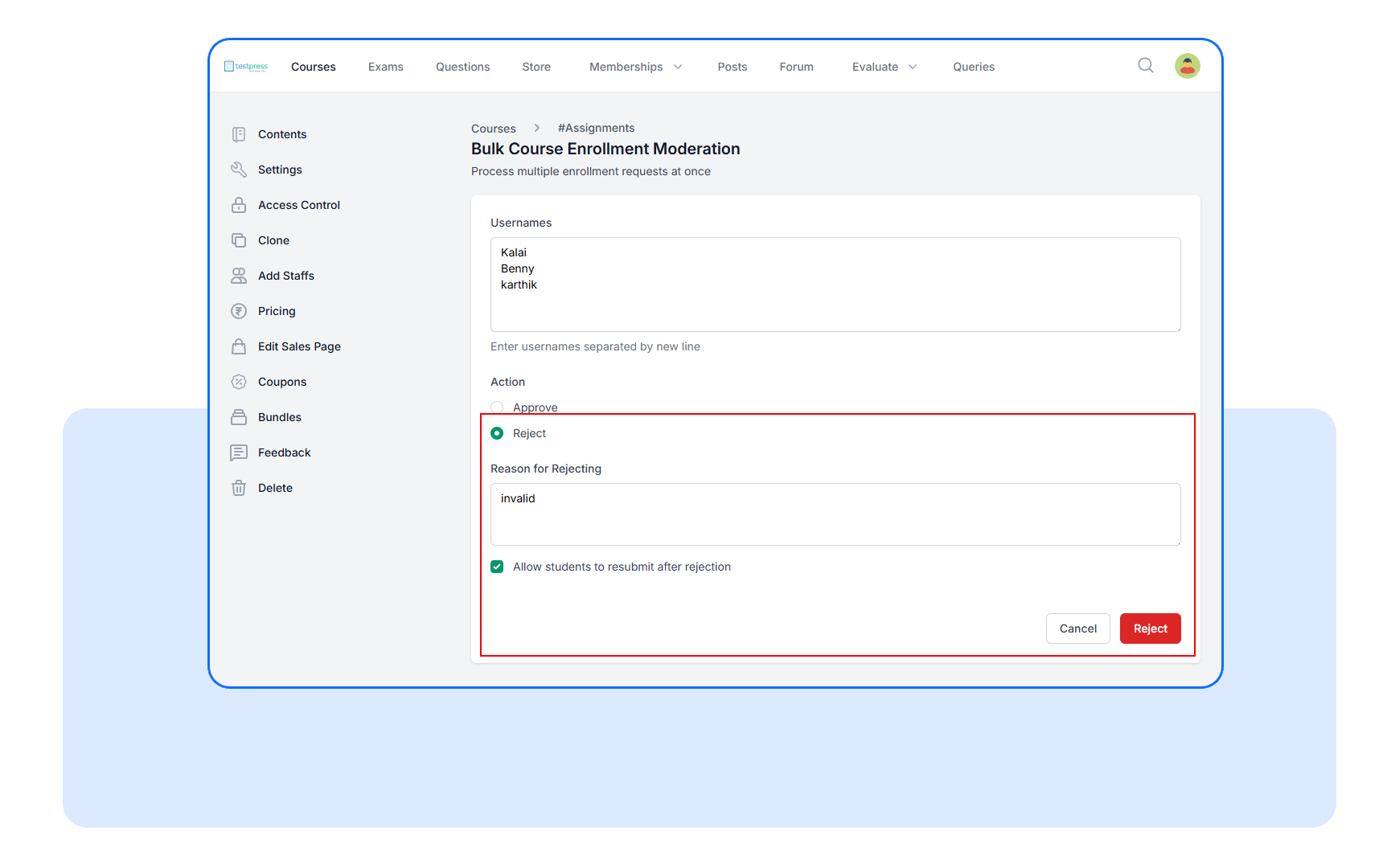
4.2 - If rejecting, enter a reason and choose whether students can resubmit. Continue by typing Proceed to complete the bulk rejection
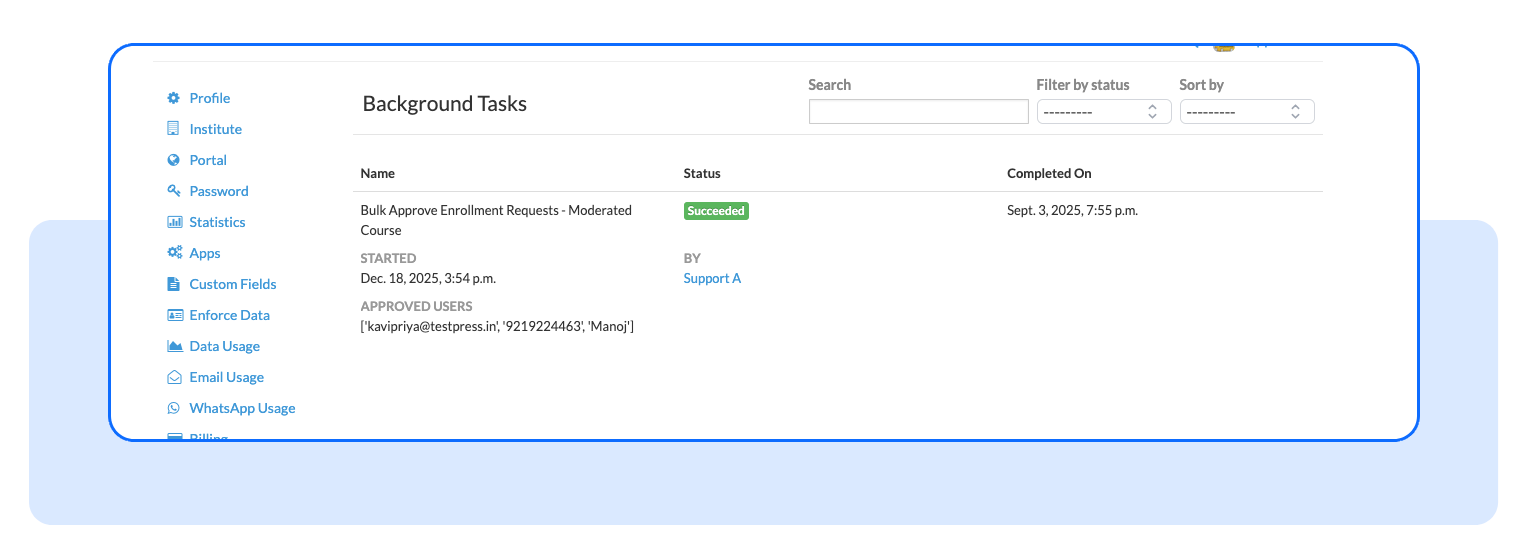
Step 5 : Track progress and results
The bulk action runs in the background. Admins can track progress and view success and failure reports directly from the dashboard.
On the dashboard, you can filter enrollment requests by Approved, Pending, or Re-Submit.
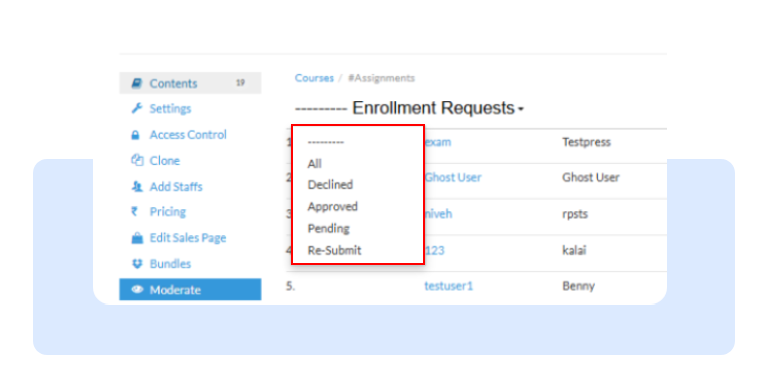
Before taking bulk action, admins can quickly see which submissions need attention. With AI-OCR enabled, exports clearly show which requests are clean and which are flagged, with issues listed separately in the Anomalies sheet.
Frequently Asked Questions
Can I still approve or reject requests individually?
Yes. Bulk operations are additive. Individual moderation works exactly as before.
What happens if a username is invalid or already processed?
The system skips it, logs the issue, and continues processing the rest without interruption.
Are reasons required for bulk disapproval?
Yes. A reason is recorded and applied consistently to all selected requests for clarity and auditability.
Bulk enrollment review shouldn’t feel like manual labor.
Start using Bulk Enrollment Operations from the course moderation view and process applications at the speed your team actually needs.
Have questions? Our team’s here to help - reach out to support.