
Introducing New Exam Review Dashboard: Detailed Insights for Students

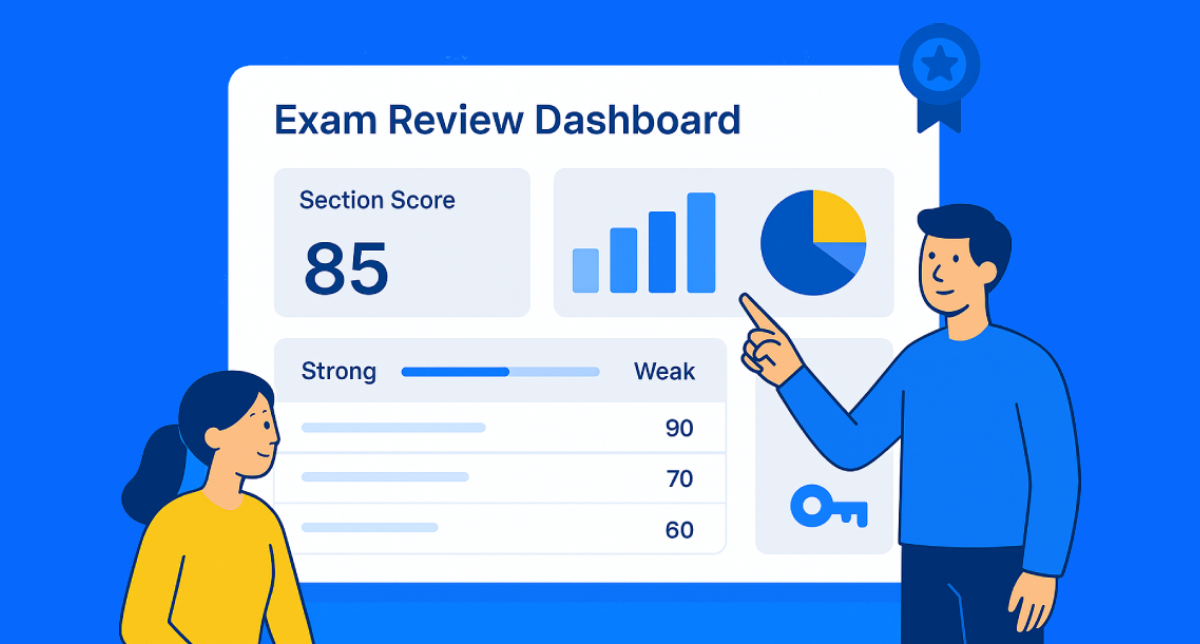
We’re excited to announce the New Exam Review Dashboard designed to give students a clearer, more insightful view of their test performance. The updated UI includes section-wise analysis, nested subject insights, comparative charts, and strong/weak area breakdowns all in one intuitive dashboard.
Now, imagine this:
Your students are reviewing their test results, but in the past, it was a real challenge. Scores, answers, and topics were all jumbled together, making it difficult for them to pinpoint where they went wrong.
But here’s the kicker:
With the new dashboard, students can see everything clearly. Section-by-section performance breakdowns, topic-level insights, and strong/weak area highlights are all laid out in one simple view. Students can instantly identify where they need to improve, and mentors can guide them more effectively.It’s a win-win for everyone.
What’s New
This upgrade turns the Exam Review Page into an end-to-end performance intelligence dashboard .
Key additions include:
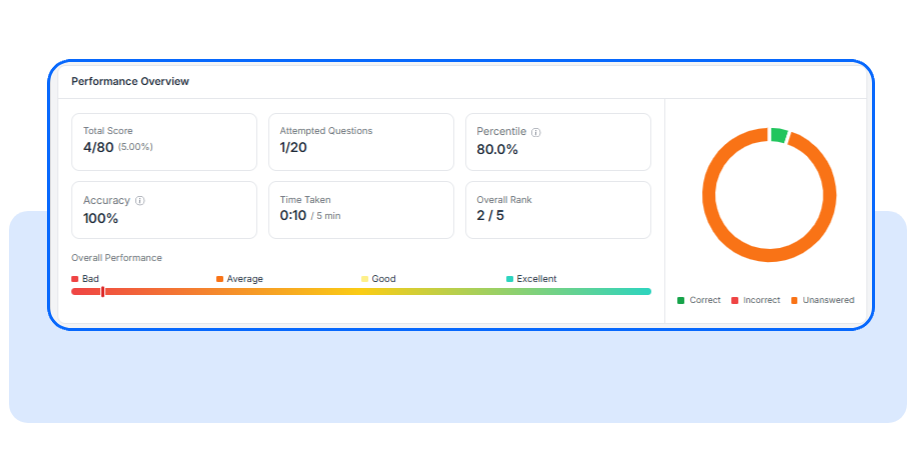
- Unified performance summary with score, rank, percentile, accuracy, and time
- Strong/weak area detection to highlight conceptual strengths and gaps
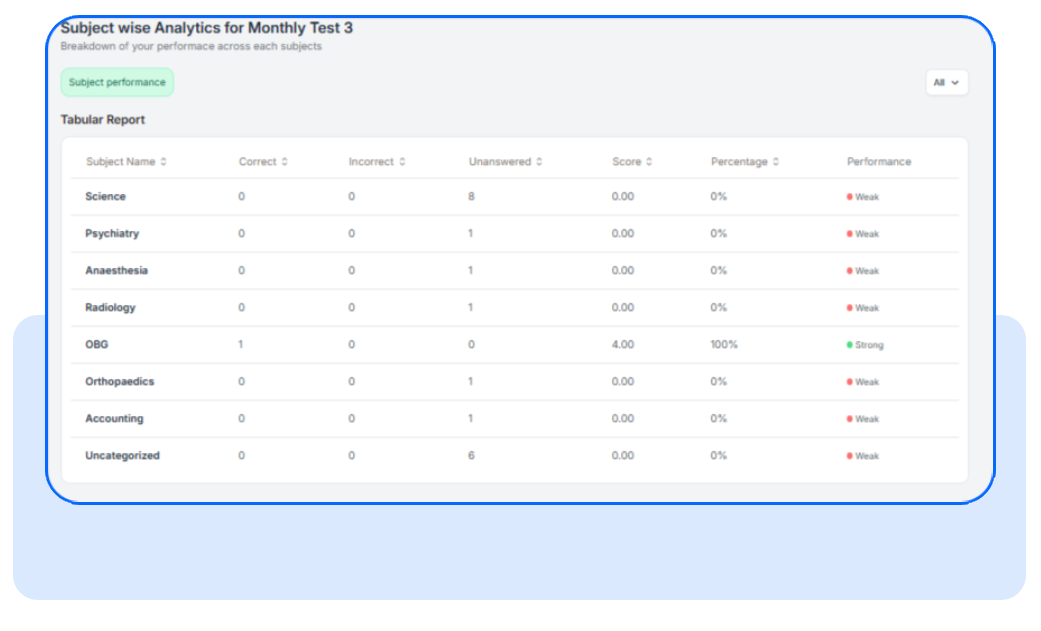
- Nested subject breakdown tables for deeper curriculum-level visibility
- Answer review with filters (All/Correct/Incorrect/Unattempted)
Why It Matters
Here’s how each role benefits:
For Students
- Immediate clarity on what went wrong and why
- Precise learning roadmap with topic-level insights
- Efficient review sessions using filters and intuitive layouts
- Better exam strategy through time and accuracy analytics
For Mentors
- Faster evaluation of student performance without navigating multiple pages
- Section-wise and nested subject insights for targeted feedback
- Question-level quality indicators to spot confusing or ineffective items
- Comparative charts to contextualize student progress within the cohor
Bottom line: every test now produces insights that drive improvement for learners, mentors, admins, and the entire learning ecosystem.
How It Works?
1. Submit feedback: Learners can unlock analytics by submitting quick feedback (or skip it). Admins and mentors immediately benefit from this data for quality analysis.
2. Review the performance summary: This top section shows overall performance review od score, accuracy, rank, percentile, time taken and overall rank of the student
3. Section-wise insights: The Subject-wise Analytics section provides an overview of the student's performance across subjects, including correct, incorrect, and unanswered questions, helping to identify strengths and weaknesses.
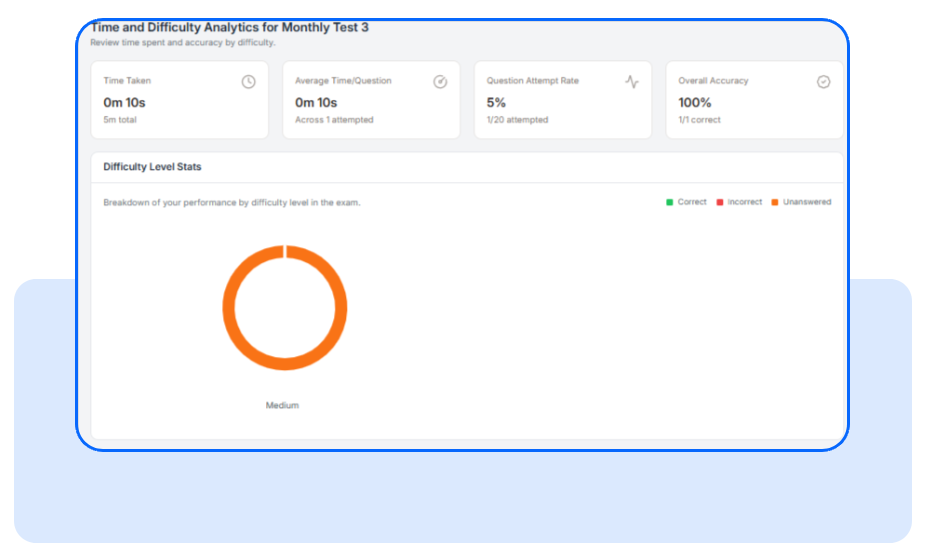
4. Time and Difficulty analytics: The Difficulty Analysis shows the student’s performance across different question difficulty levels, offering a visual breakdown of attempts and accuracy to evaluate any challenges with specific difficulty tiers.
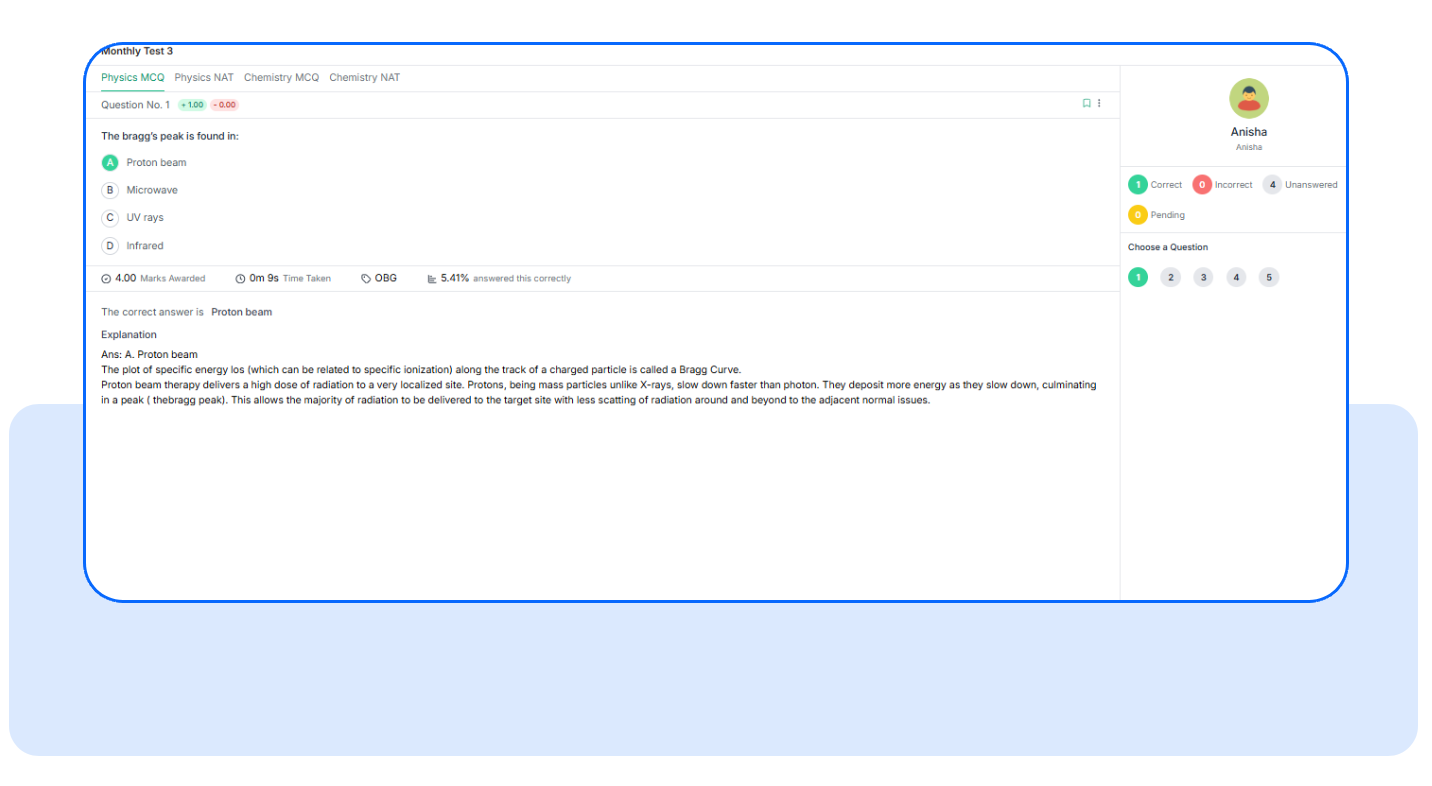
5.Answer review section: In the Answer Review Section, students can revisit each question they attempted during the test. They can see their selected answer, the correct answer, and a detailed explanation of why the correct answer is right.
Frequently Asked Questions
Do students have to submit feedback to see analytics?
Yes, feedback is part of the flow, but they can skip it if they prefer
Can this be used on mobile?
Absolutely. The new dashboard is optimized for smaller screens.
Will mentors see the same analytics?
Yes. Mentors get the same section-wise and nested insights, plus tools to track student trends.
Have questions? Our team’s here to help - reach out to support.
Explore the full admin guide for exam performance analysis