
Introducing Student Diary: Keep Every Student Conversation in Context

Student Diary is a new LMS feature that gives staff members a centralized place to record, organize, and review student interactions.
From mentorship notes and academic observations to support discussions and follow-ups. Student Diary helps teams maintain continuity, collaborate more effectively, and ensure every student conversation starts with context instead of guesswork.
You're about to jump into a mentoring session with a student.
You vaguely remember discussing attendance concerns a few weeks ago.
Another counselor spoke with them last week.
A support staff member shared guidance a few days earlier.
But the details?
They're buried in emails, chat messages, meeting notes, or someone's memory.
Sound familiar?
Every time a student interaction starts without context, valuable time gets wasted.
Staff repeat questions.
Students end up feeling like they're starting from scratch every time they ask for help.
That's why we're introducing Student Diary.
A centralized student history inside your LMS that helps staff capture important interactions, maintain continuity, and ensure every conversation builds on what came before.
What's New in Student Diary
Student Diary gives staff members a dedicated space within each student profile to document important interactions and observations.
Instead of relying on scattered notes, external tools, or memory, teams can now maintain a shared record directly inside the LMS.
With Student Diary, staff can:
- Create diary entries directly from a student profile
- Add rich text content with formatting
- Upload files and media within entries
- Categorize notes for easier organization
- Mark entries as student-visible or internal-only
- View a complete history of interactions in one timeline
- Filter entries by category to quickly find relevant information
Every diary entry automatically records:
- The staff member who created it
- Creation timestamp
- Last modified timestamp
- Category
- Visibility status
- Full entry content
The result is a structured, searchable history that grows alongside the student's journey.
Why a Centralized Student Diary Matters
Student success often depends on continuity.
When staff have immediate access to previous discussions, they can spend less time gathering context and more time helping students move forward.
What does that mean in practice?
- Fewer repeated conversations because previous guidance is easy to review
- Better collaboration across mentors, counsellors, and support teams
- More consistent student experiences regardless of who conducts the next session
- Improved documentation of mentorship discussions and academic observations
- Reduced reliance on external tools for storing student notes
Most importantly, students feel understood.
Instead of restarting every conversation, staff can continue discussions from where they left off.
That creates a more personalized and effective support experience.
How Student Diary Works
Student Diary helps staff keep track of student interactions while giving students access to the guidance shared with them.
For Staff and Mentors
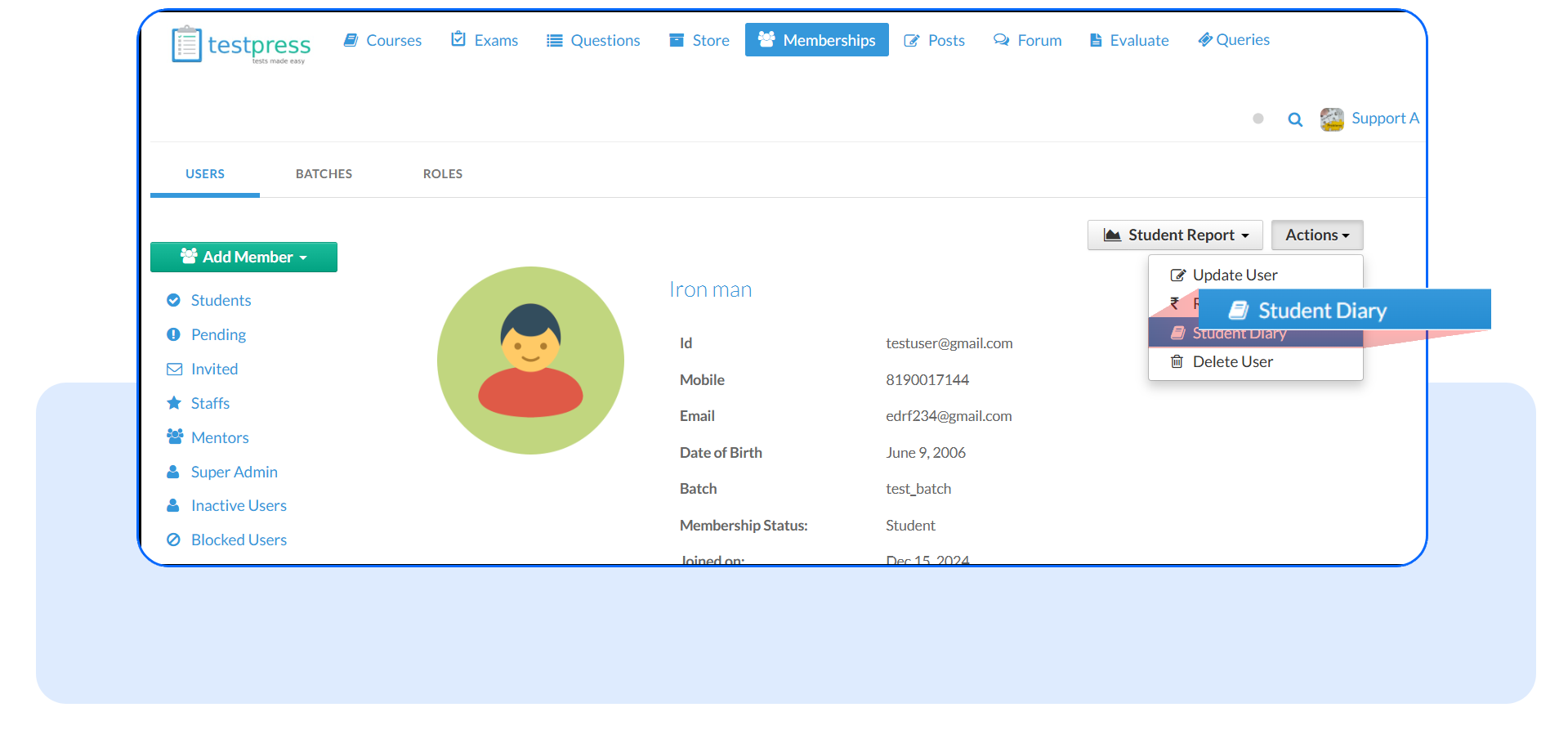
Step 1: Open the Student Diary
Go to the student's profile and open the Student Diary section.
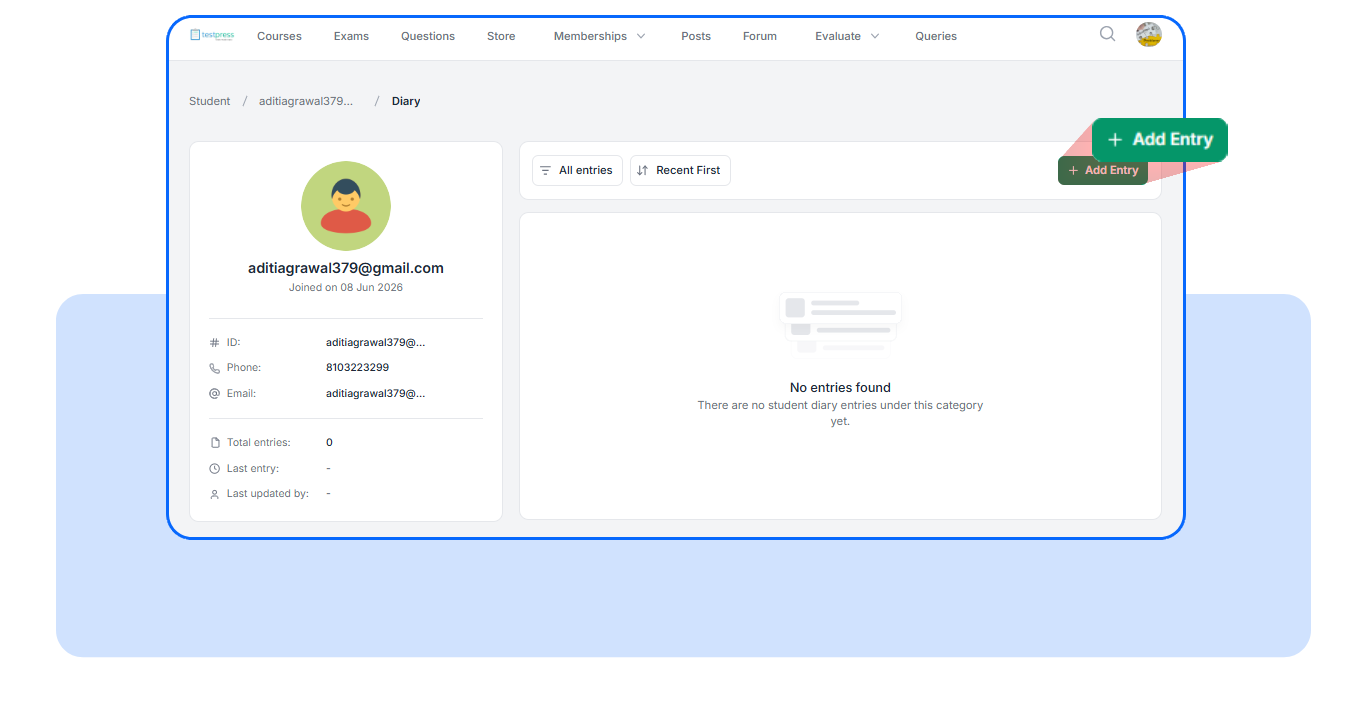
Step 2: Create a New Entry
Click Add Entry to record a new note about the student.
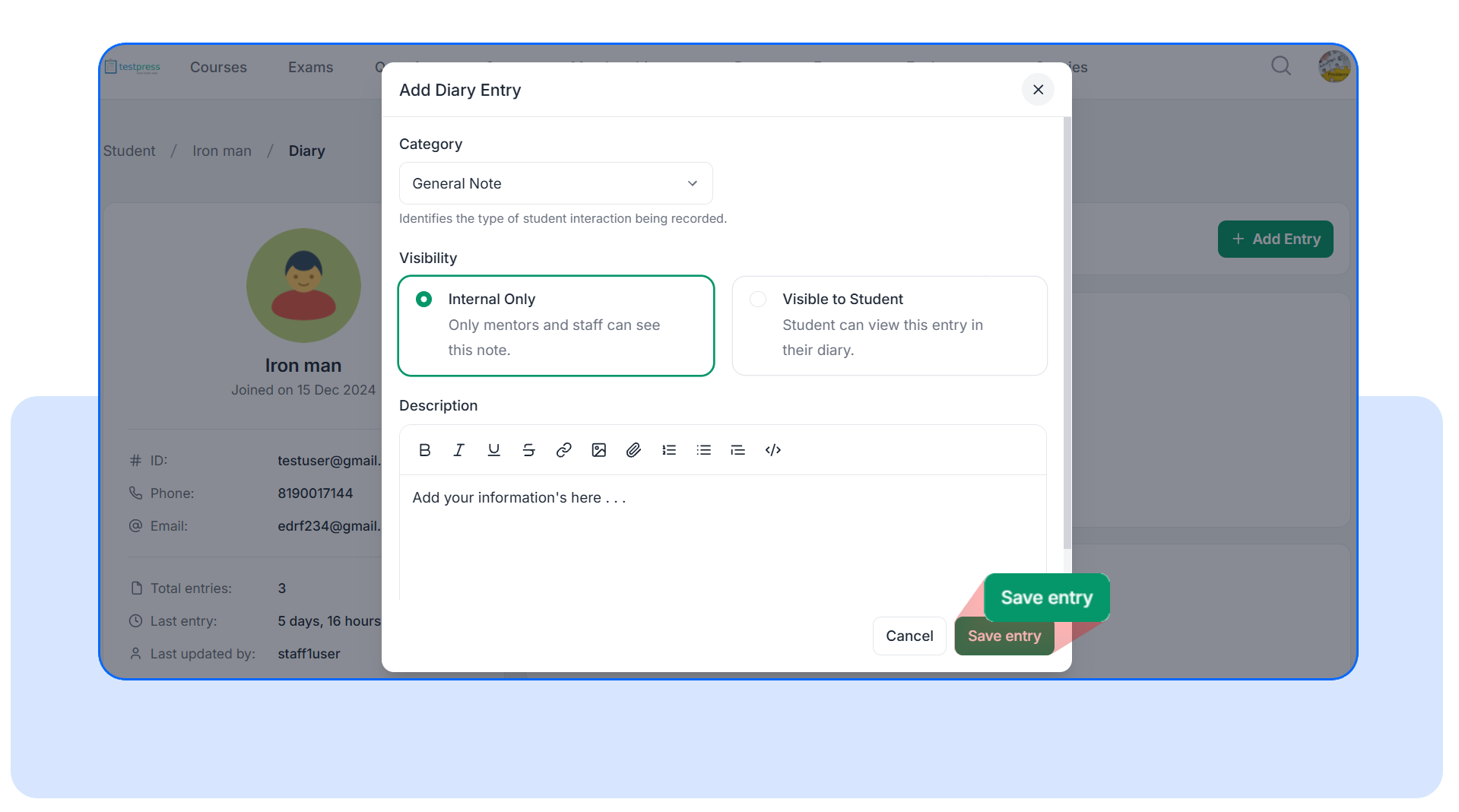
Step 3: Add the Details
Choose a category, decide whether the note should be visible either only to the student or to the mentor, and write your entry using the rich text editor. You can also add files, links, images, and other attachments.
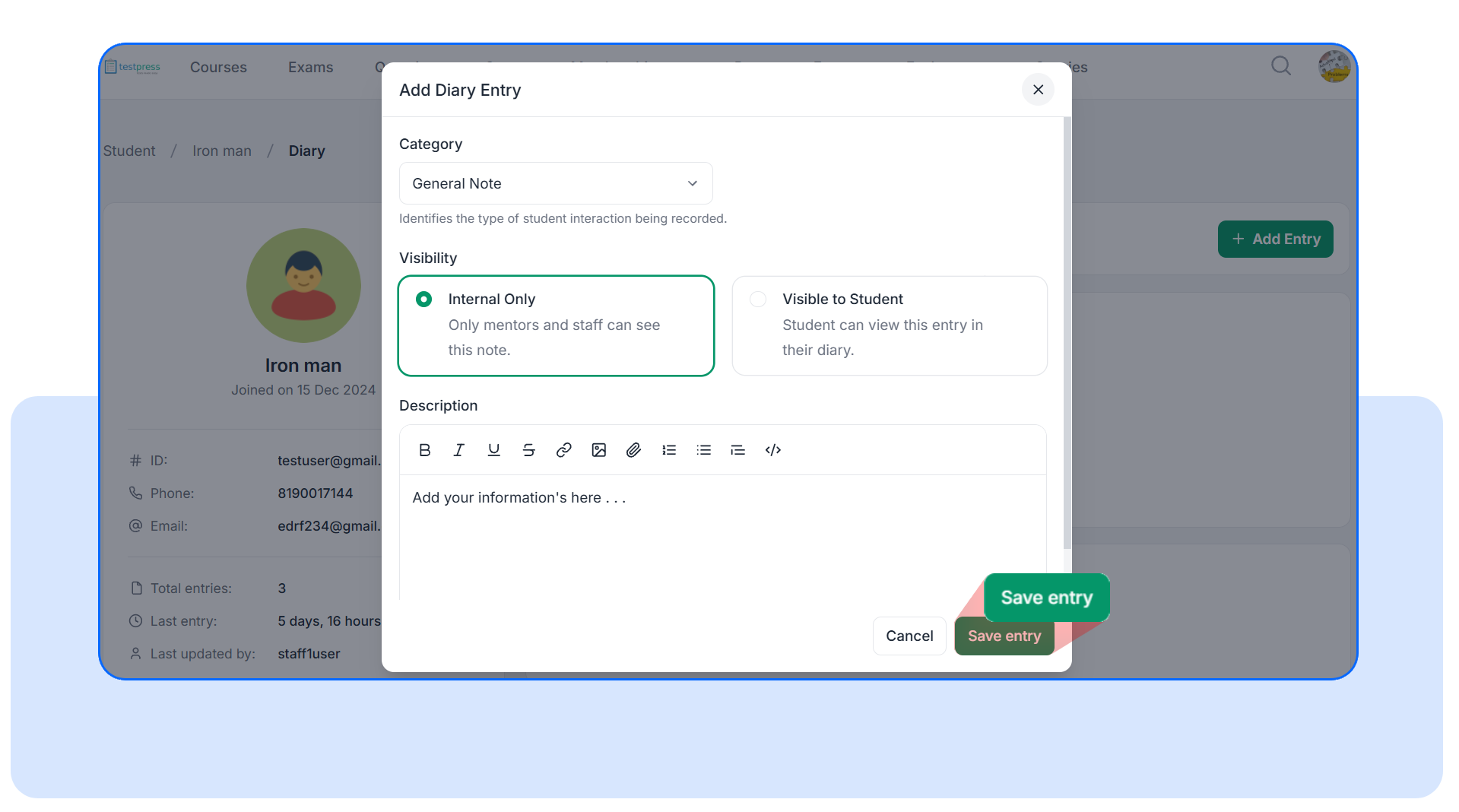
Step 4: Save and Manage Entries
Once saved, the entry appears in the student's diary timeline. Staff can review past entries, filter by category, and delete their own entries when needed.
For Students
Step 1: Open My Diary
Students can access My Diary from their account menu.
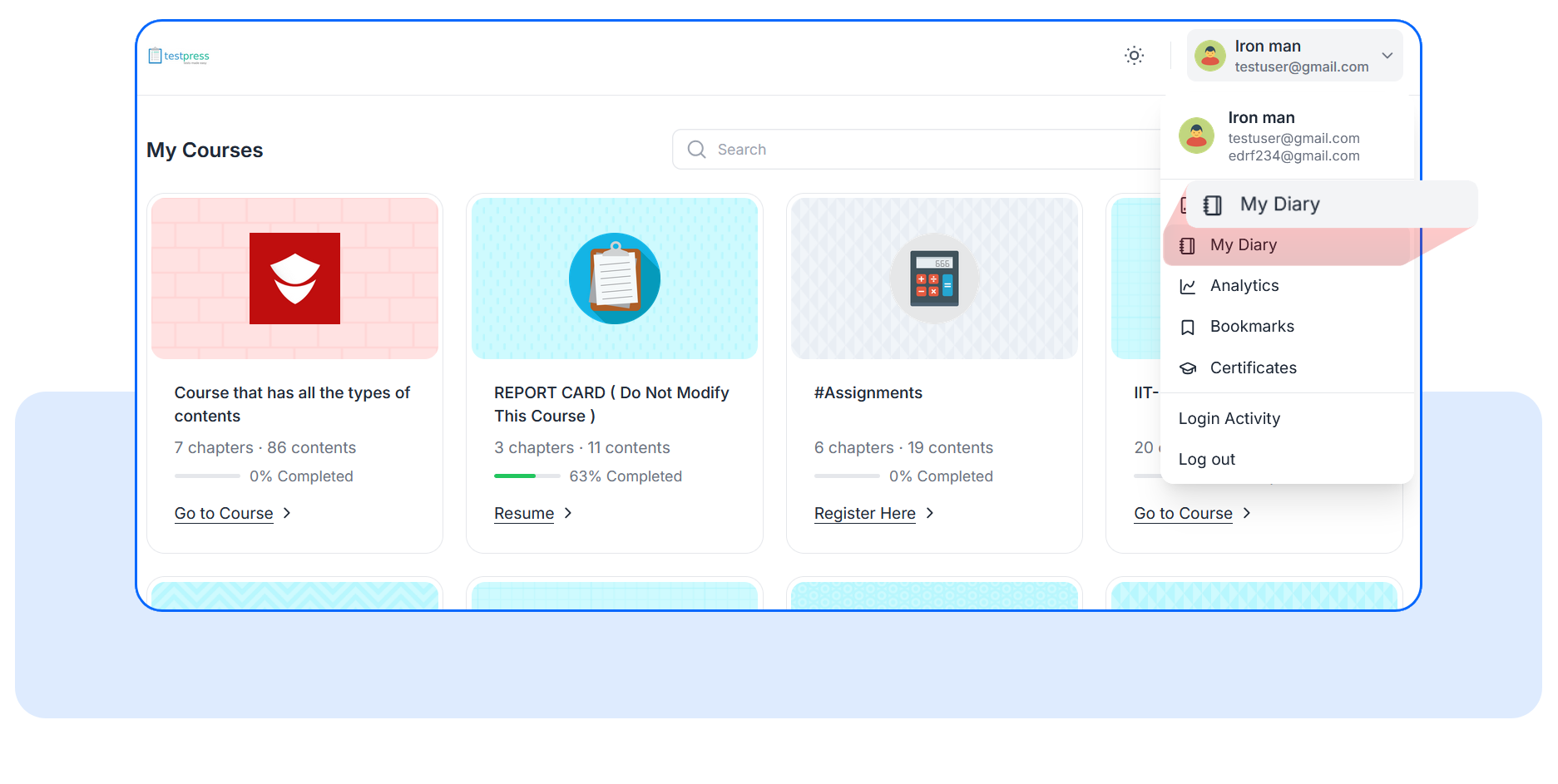
Step 2: View Shared Notes
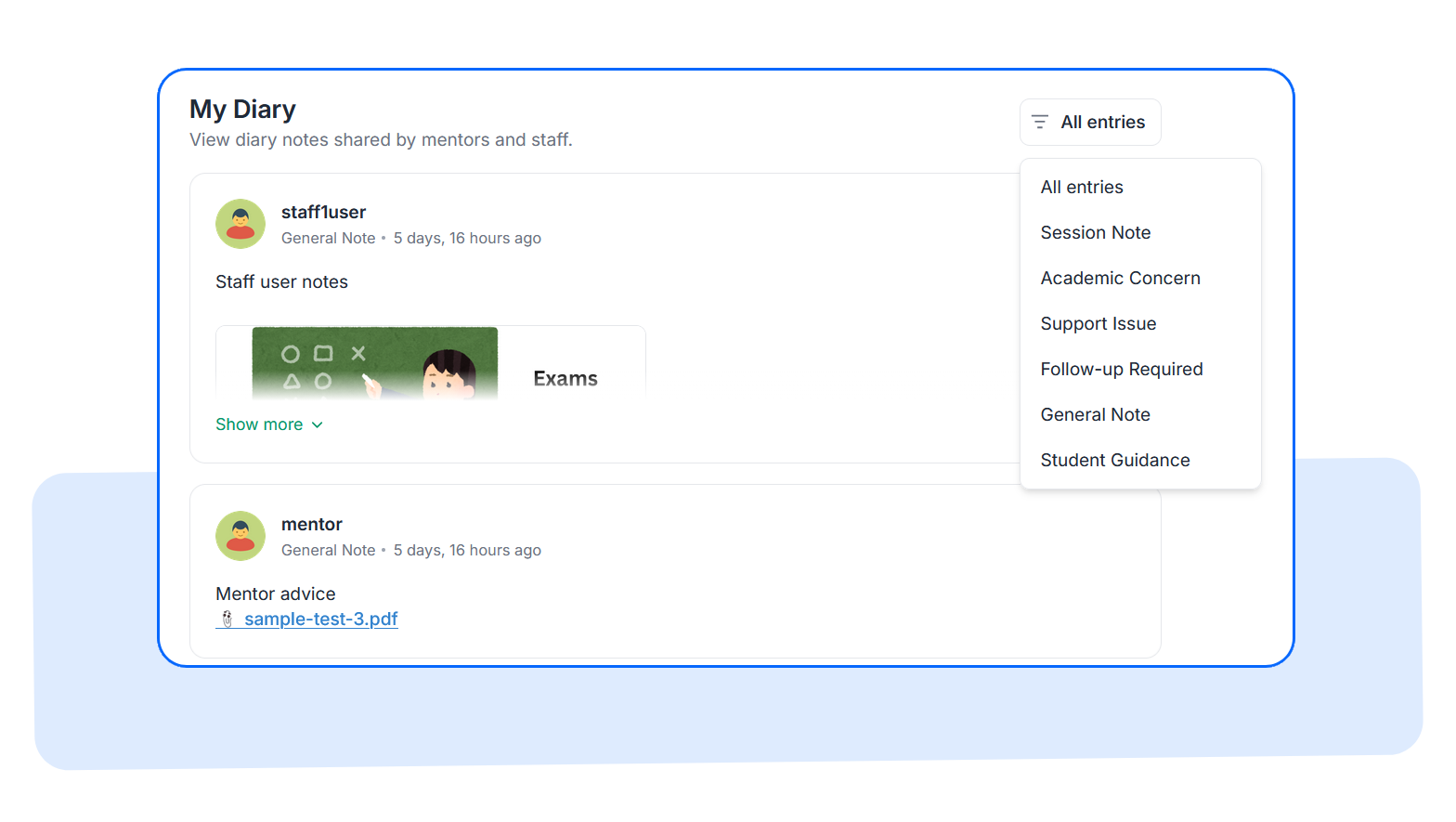
Students can see all diary entries that staff have marked as visible to them. Each entry includes the category, author, date, attachments, and any guidance or feedback that has been shared.
Students can also filter entries by category to quickly find relevant information.
Frequently Asked Questions
Can students create diary entries?
No. Students can only view entries that staff members explicitly mark as student-visible.
Can staff edit diary entries?
Yes. Staff members can edit diary entries they originally created. Any updates automatically refresh the last modified timestamp.
Can staff delete diary entries?
Yes. Staff members can delete entries they created after confirming the action.
Student Diary gives institutions a centralized place to document mentorship discussions, academic observations, follow-ups, and shared guidance without relying on disconnected tools or fragmented processes.
Open a student profile today, explore the new Student Diary section, and start building a complete history of student interactions that helps every conversation move forward.
Have questions? Our team’s here to help - reach out to support.