
Introducing Live Class Notifications: Automated Reminders and Updates for All Live Classes

Keep students informed with automatic calendar invites, 24-hour reminders, and notifications when live classes are cancelled or deleted. Live Class Notifications work for both course-based and standalone live classes, and you can enable the feature directly from your Institute Settings.
You're getting ready for tomorrow's live class.
The instructor is prepared. The students are enrolled. Everything is set.
But a few students forget to show up.
Or worse, a class gets cancelled, and some students don't find out in time.
Now your team is sending last-minute emails, answering confused students, and making sure everyone has the latest information.
Sound familiar?
Managing live classes involves more than scheduling sessions. You also need to make sure students know when classes are happening and when plans change.
And when you're managing multiple classes, manually keeping everyone updated can quickly become a headache.
Here's the good news:
With Live Class Notifications, you can automate important class updates for both course-based and standalone live classes.
Students receive calendar invites, reminders before their sessions, and notifications when classes are cancelled And your team? They can spend less time chasing students and more time delivering great learning experiences.
What's New: Automated Notifications for All Live Classes
Live Class Notifications help you keep students updated throughout their class journey, from enrollment to unexpected schedule changes.
Here's what you can expect.
1. Calendar Invites When Students Are Enrolled
When a student is enrolled in a live class, they receive an email with a calendar invite.
The invite includes:
- Class title: So students know which session they're attending.
- Date and time: With timezone-aware scheduling information.
- Meeting link: So students know exactly where to join.
Students can add the session to their calendars without manually entering the details.
Whether it's a standalone session or part of a course, keeping track of upcoming classes becomes easier.
2. Automatic Reminders 24 Hours Before Class
Even when students know about an upcoming class, it's easy for the date to slip their minds.
That's why Live Class Notifications send an automatic email reminder 24 hours before a class starts.
The reminder includes the class name and meeting link, giving students the information they need to join on time.
No manual follow-ups. No need to remind every student individually.
And if a standalone class is scheduled less than 24 hours in advance, students still receive the initial calendar invite, without an additional 24-hour reminder.
3. Notifications When Live Classes Are Cancelled or Deleted
Plans change. Instructors become unavailable. Sometimes, a scheduled session needs to be cancelled.
But students shouldn't have to discover that after they've already made time for the class.
With Live Class Notifications, students are also informed when:
- A course-based live class is deleted: Enrolled students receive a notification about the deleted session.
- A standalone live class is cancelled: Enrolled students receive a cancellation notification.
This helps students avoid preparing for or attempting to join sessions that are no longer taking place.
And it saves your team from having to contact every affected student manually.
4. Control Notifications From Institute Settings
Not every institute manages its live classes the same way.
That's why Live Class Notifications are controlled through Institute Settings.
The feature isn't enabled for every institute by default. Your team can turn it on when you're ready to use it.
Once enabled, the system handles supported class notifications automatically, without requiring you to send each email yourself.
Why Live Class Notifications Matter for Your Institute
A missed class can mean a missed learning opportunity for a student.
A cancellation that goes unnoticed can mean wasted time, confusion, and unnecessary support requests.
And for your team, every manual reminder is another task competing for attention.
Live Class Notifications help make class communication more reliable.
Here's how:
- Improve student attendance: Give students a calendar invite when they're enrolled and a reminder 24 hours before class.
- Reduce manual follow-ups: Let the system handle routine class notifications instead of relying on admins to send emails.
- Keep students informed about cancellations: Notify affected students when a course-based class is deleted or a standalone class is cancelled.
- Create a consistent experience: Support students attending both course-based and standalone live classes.
- Stay in control: Enable the notification feature directly from your Institute Settings when it suits your institute.
How to Enable Live Class Notifications in Institute Settings
Getting started is straightforward.
Admin view:
Step 1: Open Institute Settings
Log in to your admin panel and navigate to Institute Settings.
This is where you can manage the availability of Live Class Notifications for your institute.
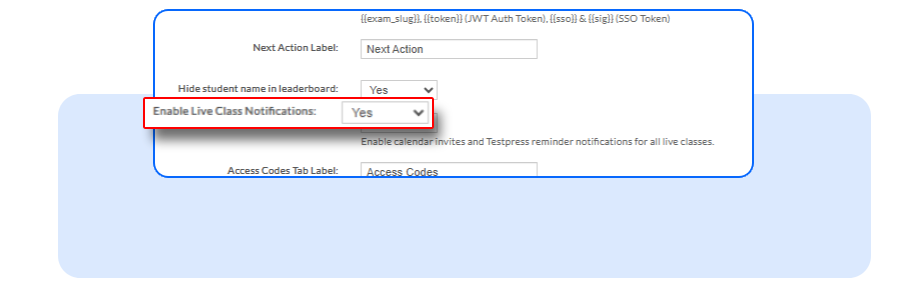
Step 2: Enable Live Class Notifications
Find the notification setting and turn it on.
Once enabled, your institute can use automatic notifications for supported course-based and standalone live class events.
Step 3: Schedule Your Live Classes
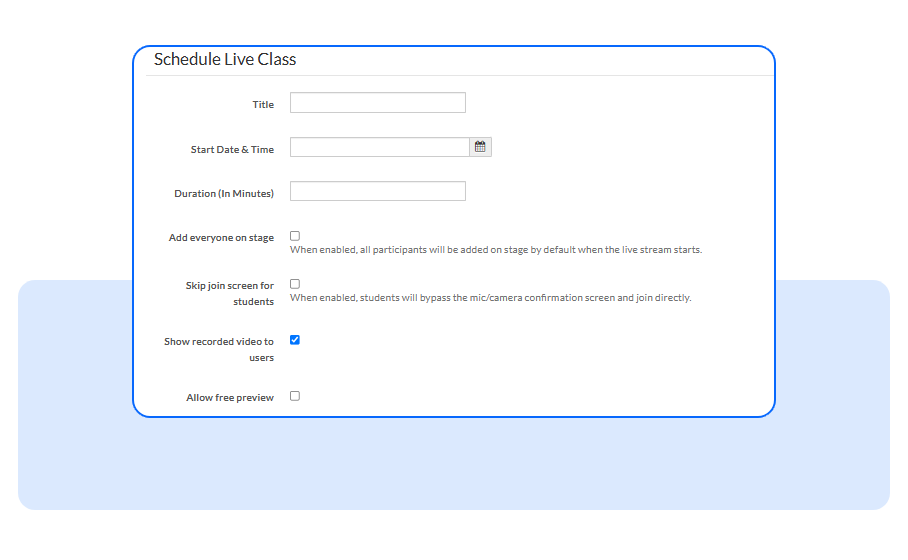
Continue creating and managing your live classes as usual.
When students are enrolled in supported live classes, the system sends calendar invites containing the session details.
Students view:
Let Automatic Reminders Handle Upcoming Classes
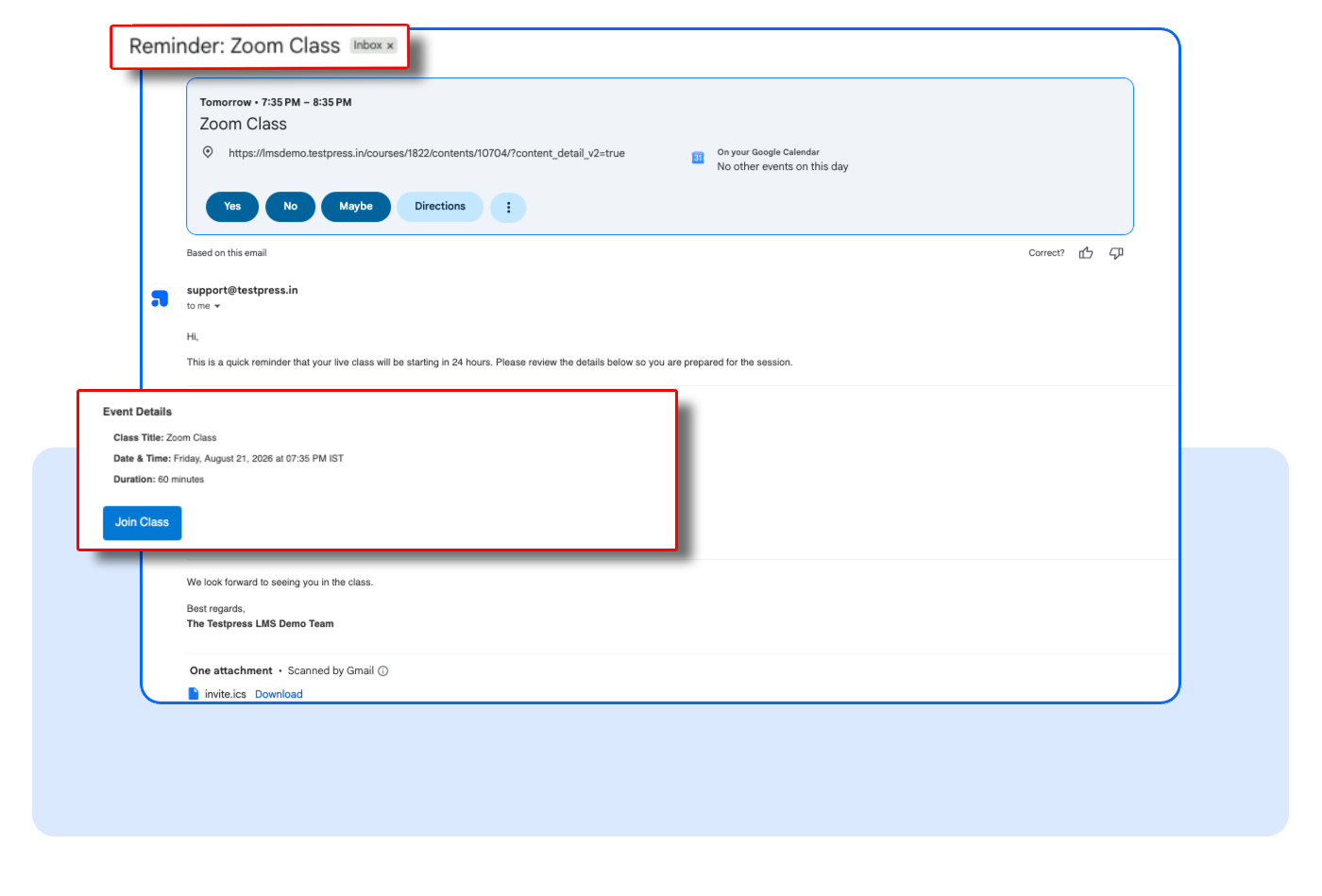
For eligible sessions, students receive an email reminder approximately 24 hours before the class begins.
Each reminder includes the class name and meeting link, so students can easily find the right session.
Keep Students Updated When Classes Change
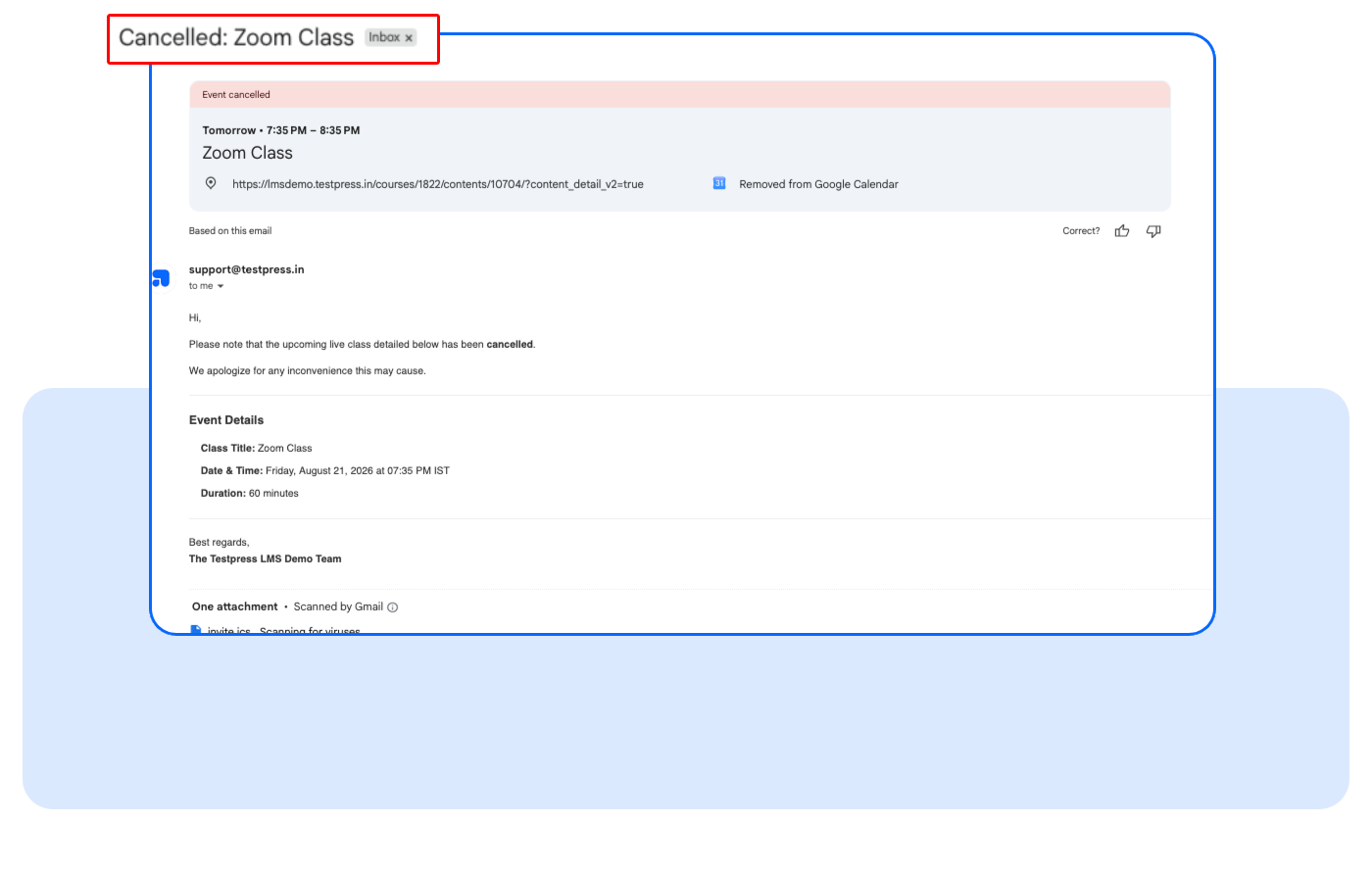
If a course-based live class is deleted or a standalone live class is cancelled, the system notifies affected students.
That means students can stay informed without your team having to manually send cancellation emails.
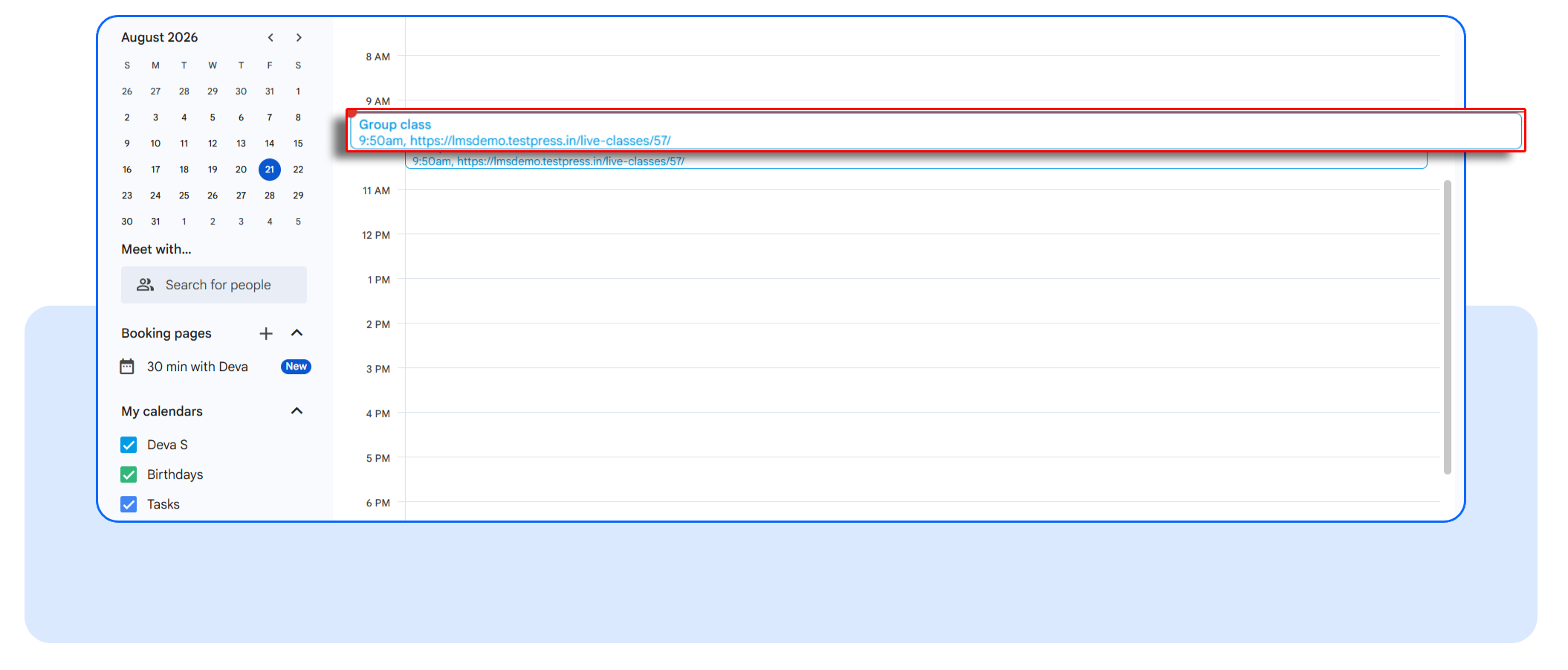
The class reminder is automatically added to the student's calendar, so they can easily keep track of upcoming live sessions.
FAQs
Do Live Class Notifications work for both course-based and standalone classes?
Yes. The feature supports both types of live classes, including calendar invites, 24-hour reminders, and the relevant class deletion or cancellation notifications.
Are Live Class Notifications enabled automatically?
No. Your institute needs to enable the feature from Institute Settings. You can manage this setting yourself.
What happens when a live class is cancelled or deleted?
Students receive a notification when a course-based live class is deleted or a standalone live class is cancelled, helping them stay informed about sessions that will no longer take place.
What if a standalone class is scheduled less than 24 hours before it starts?
Students receive their initial calendar invite, but the 24-hour reminder is skipped.
Keep Students Informed Without the Extra Admin Work
Students shouldn't have to search through emails to remember when their next class starts.
And your team shouldn't have to manually contact everyone when a class gets cancelled.
Live Class Notifications make it easier to keep students informed at the moments that matter, whether they're joining a class tomorrow or need to know that a session has been cancelled.
All while giving your institute control over when to enable the feature.
Want to make live class communication easier?
Head to Institute Settings, enable Live Class Notifications, and let the system handle the reminders and class updates for you.