
Introducing Student Report Cards: A Way to Turn Test Data into Score Insights

We’ve launched Student Report Cards, a flexible way to turn exam data into clear, structured performance summaries. Track overall performance, section-wise scores, and multi-exam trends—automatically, without manual reporting.
You’re running your weekly tests
Students finish
Scores are in
Parents start asking questions
“How is my child doing overall?”
You open spreadsheets
You scan past reports
You try to piece together a clear answer
The real challenge:
You already have the data. But you don’t have a clear, consistent way to present it.
Now:
Your team spends hours every week building progress summaries.
And even then, it’s fragmented
One test at a time
No clear long-term view
You might be wondering:
Is there a better way to show performance without doing this manually every week?
There is
Introducing Student Report Cards.
What’s New: A Flexible Student Report Card System
The new Student Report Card gives you a structured way to present student performance across exams.
Instead of showing isolated test results, you can now group exams into meaningful sections like:
- Subject-wise groups (e.g., Math, Physics, Verbal)
- Exam series (e.g., Weekly Tests, Mock Series)
- Section-level breakdowns within exams
Each section automatically computes:
- Average score or total score
- Attempt count
- Performance consistency and trends
At the top of the report, you can show a clear summary:
- Section-wise averages
- Combined total score across sections
Everything updates automatically as new exam attempts are submitted.
No manual calculation required.
Why It Matters:
Most institutes already conduct regular tests. But reporting is where things break.
You end up with:
- Disconnected scores across multiple exams
- Manual Excel-based summaries
- Inconsistent communication with parents
This changes that.
With Student Report Cards, you get:
- A single view of student performance across multiple exams
- Section-level insights without manual effort
- Consistent, professional reporting across batches
Here’s the impact:
- Reduce reporting effort by up to 80%
- Eliminate manual aggregation errors
- Standardize how performance is communicated
- Students understand their progress over time
- Parents get clarity without explanation
- Your team spends time on teaching, not reporting
How It Works:
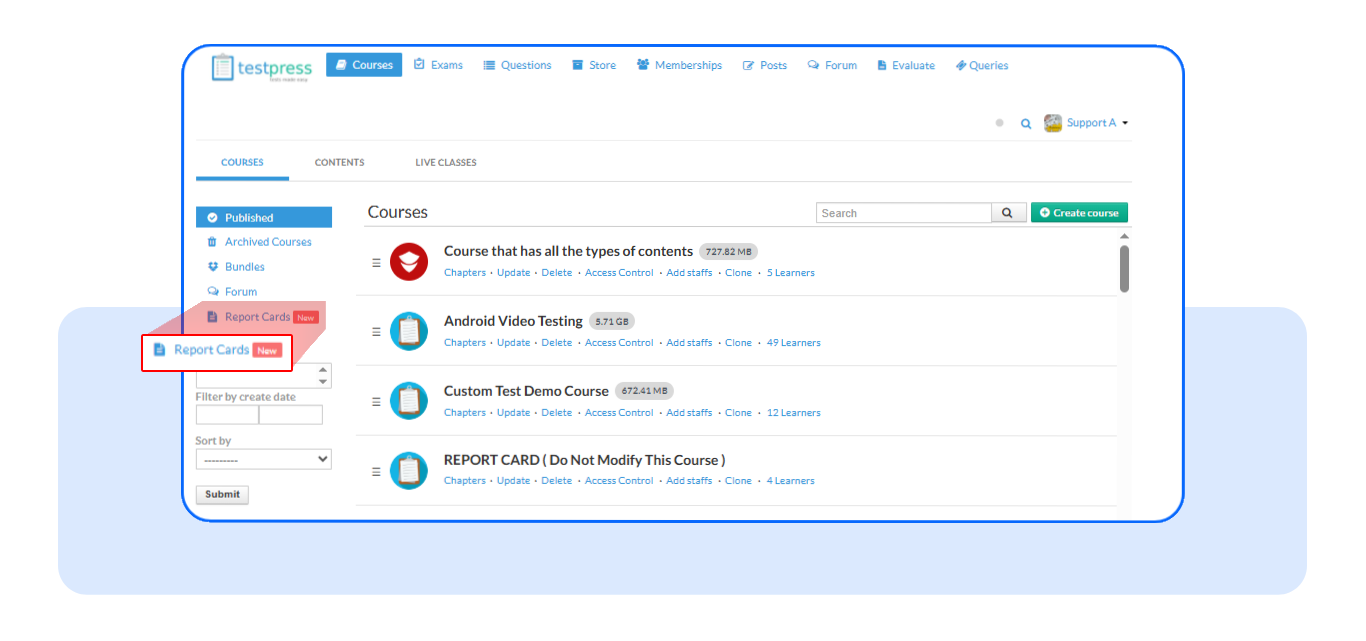
1. Go to Report Cards : Navigate to the Report Cards section from your dashboard
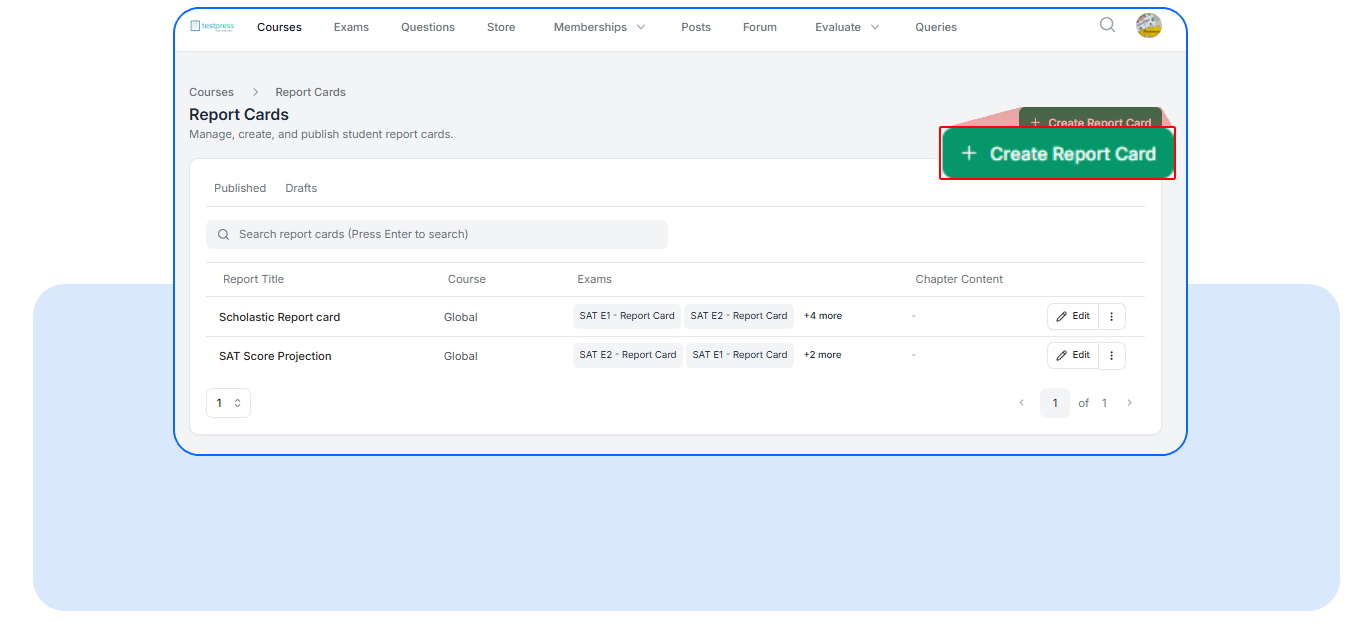
2. Click “Create Report Card” : Start a new report card template with a single click
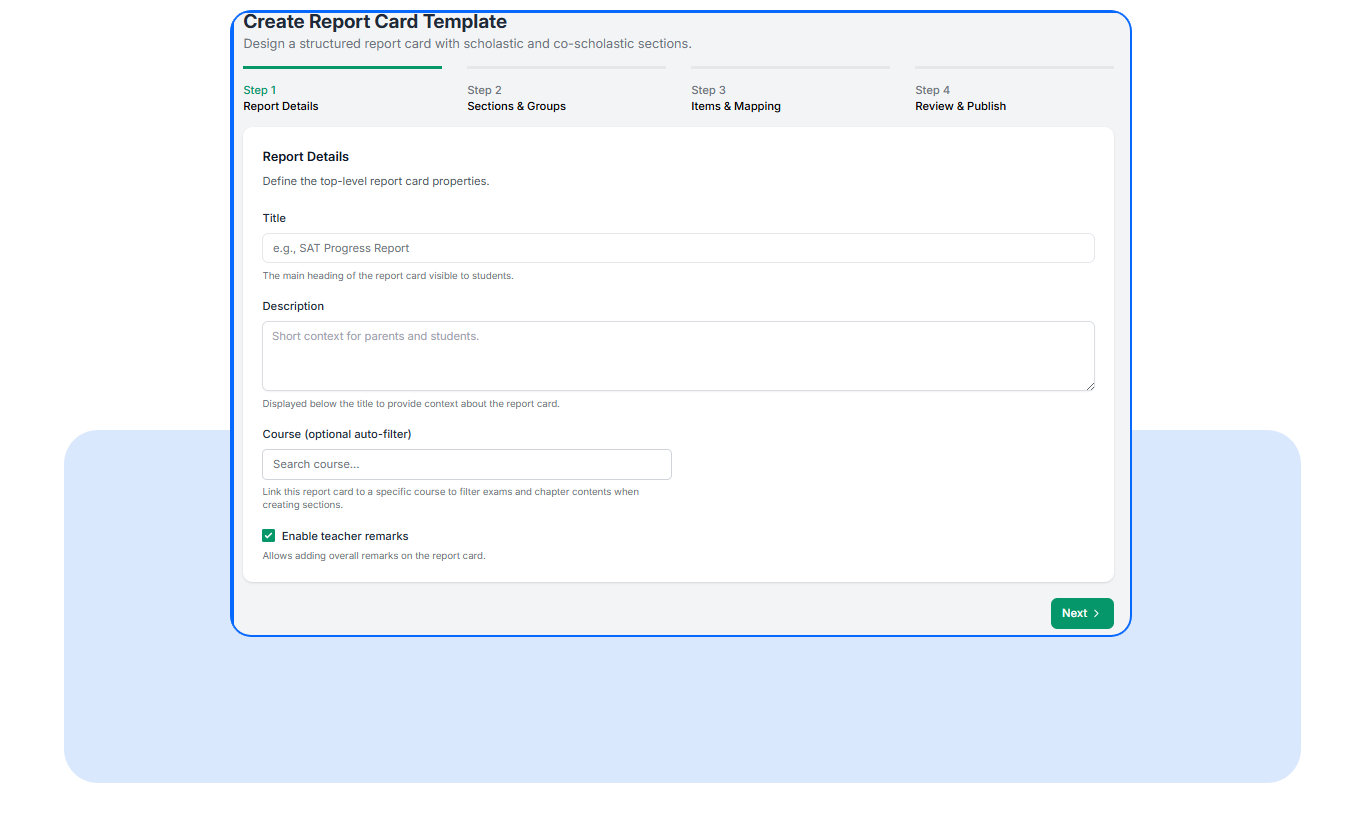
- Fill in Report Details : Add Title, Course (optional filter), Description (optional context for parents/students)
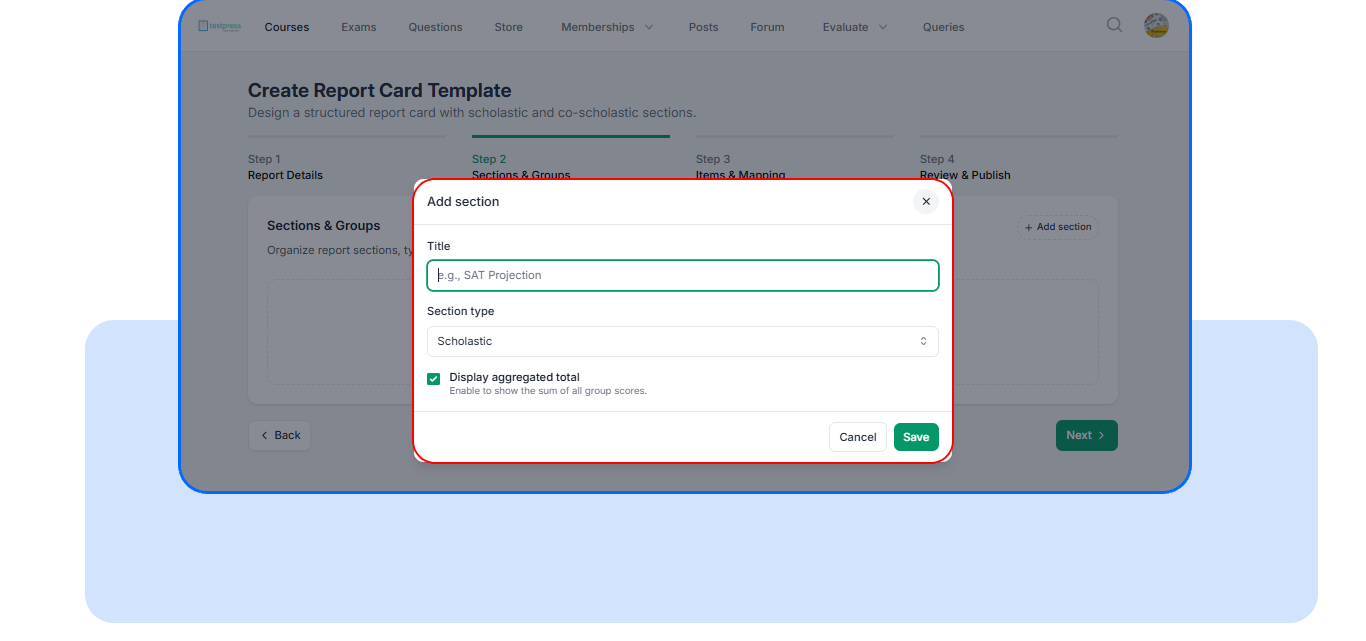
- Create Sections : Define how you want to organize performance
Example:
Maths
Science
Weekly Tests
You can also choose whether to show a total score for each section
- Add Groups Inside Sections: Break sections into smaller units (if needed) Configure:
Score range (min/max marks)
Rounding rules
Whether to show average and total
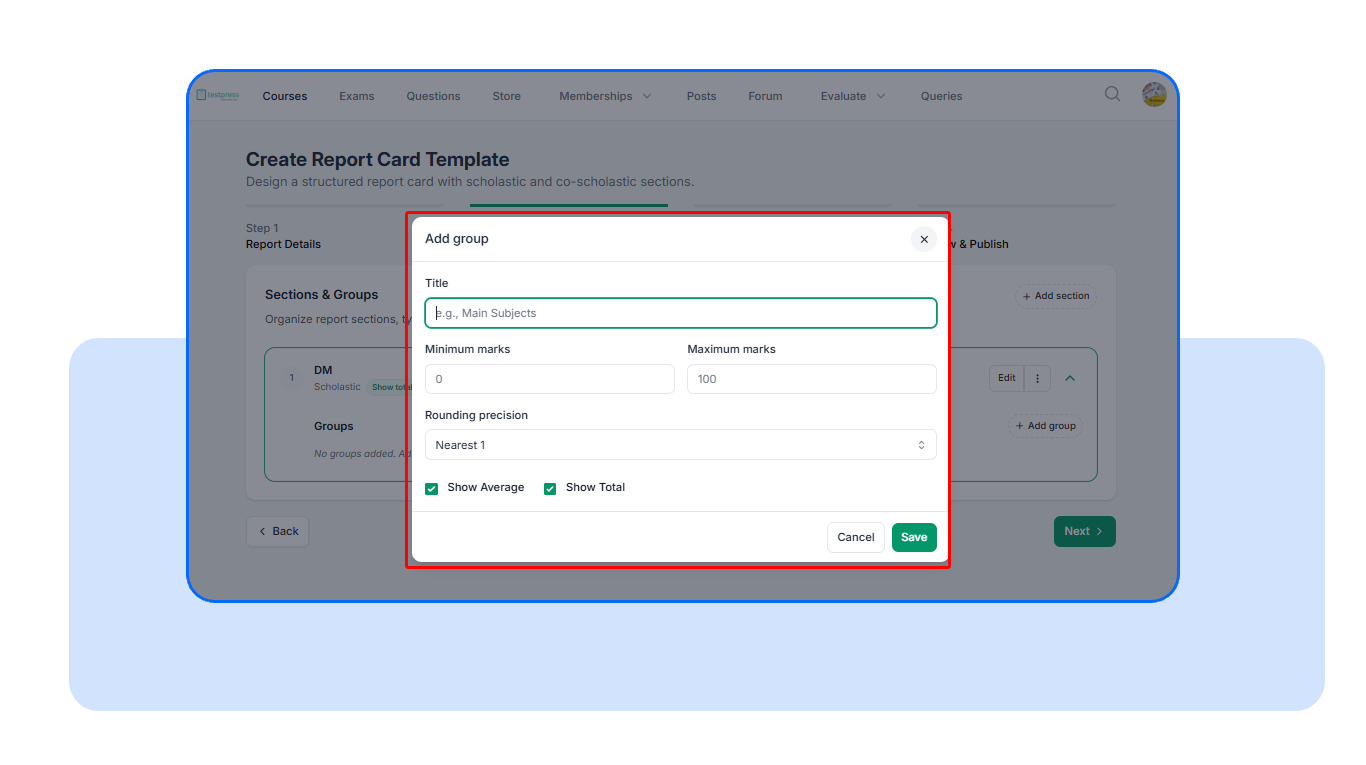
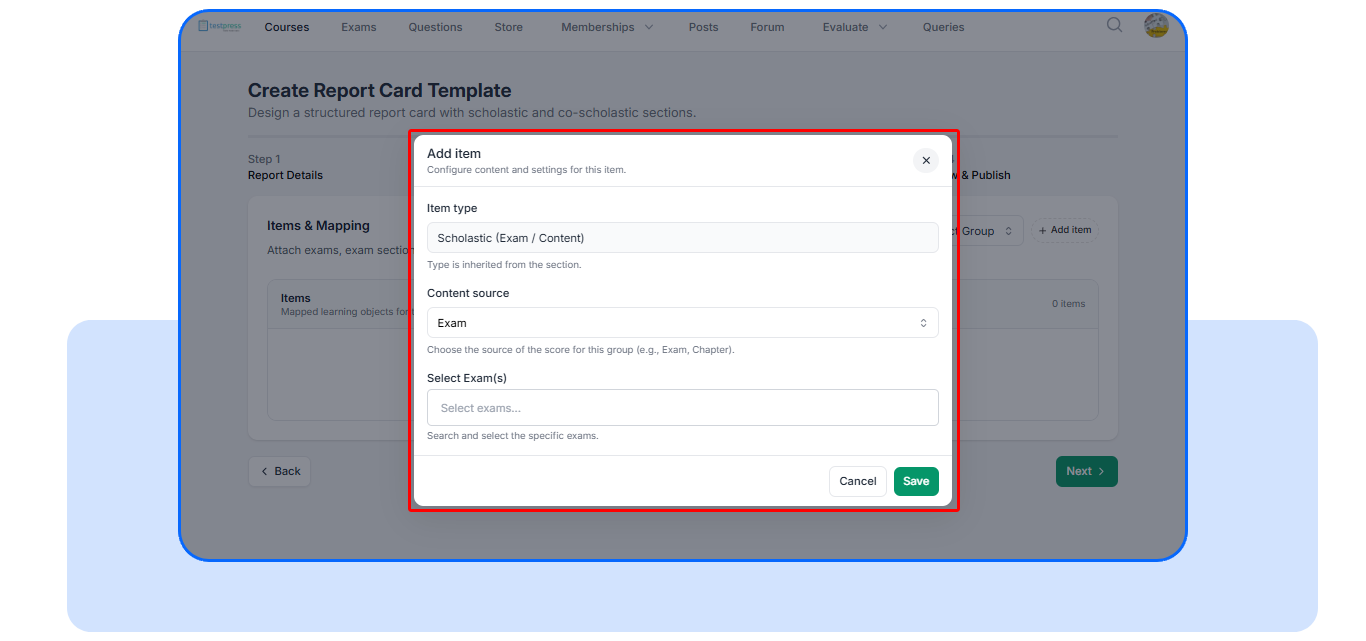
- Map Exams to Group: Select the exams (or exam sections) you want to include under each group
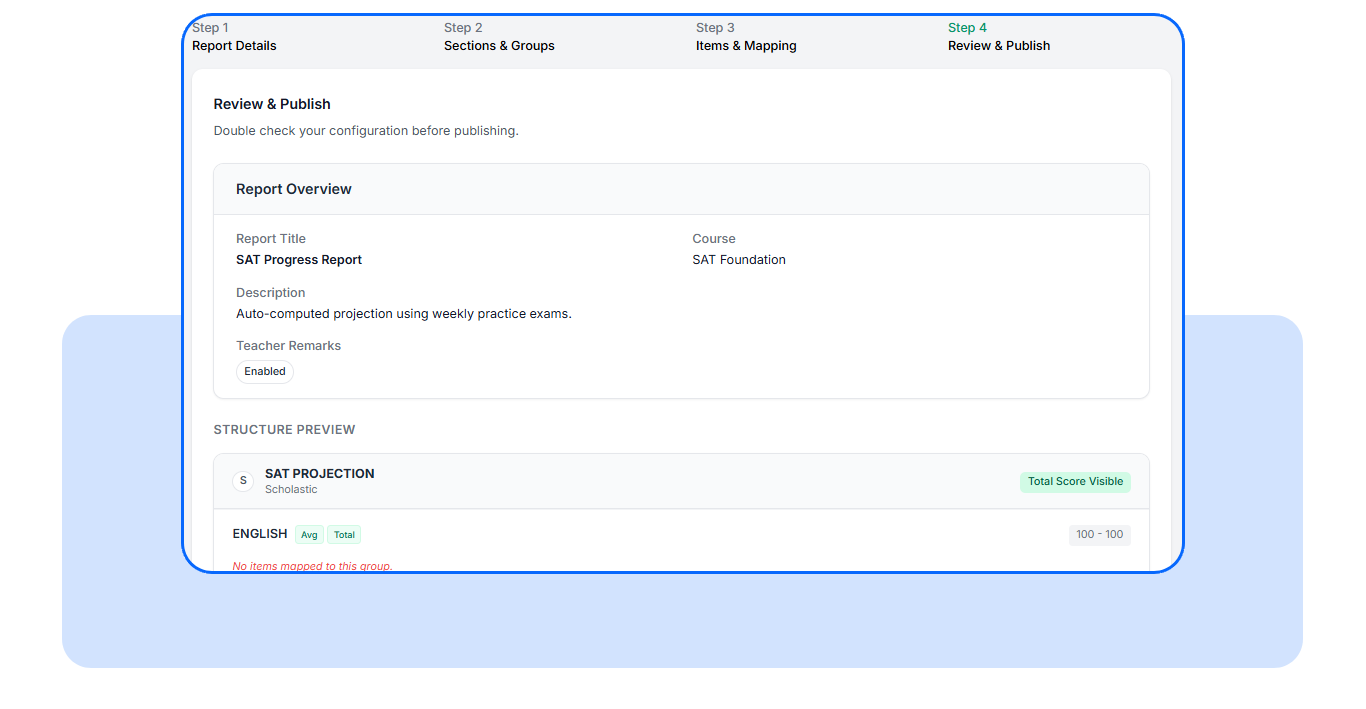
- Review and Publish: Preview the full report card layout before going live. Make sure sections, groups, and scoring look right
Frequently Asked Questions
Does this work for all types of exams?
Yes. It works for all standard exams (excluding quizzes).
Can we group exams in different ways?
Yes. You can organize by subject, exam type, or series.
Do we need to update this every week?
No. Once set up, it updates automatically with new attempts.
You already run the tests.
You already collect the data.
Now you can present it in a way that actually makes sense.
Set up Student Report Cards and give your institute a scalable, structured way to track and communicate student performance.
Watch how students get a complete view of their performance
Have questions? Our team’s here to help - reach out to support.