
Introducing Question of the Day: A Smarter Way to Build Daily Learning Habits

Question of the Day (QOTD) automatically delivers a small set of daily multiple-choice questions to learners. Admins can configure questions by batch, subject, difficulty, and question bank, making it easy to drive consistent engagement without creating full-length tests.
You're reviewing student engagement reports.
The pattern looks familiar.
Students log in before exams, complete a few assessments, then disappear for days.
Meanwhile, valuable questions in your question banks sit unused.
Sound familiar?
Most learners want to practice regularly, but full tests take time and effort.
As a result, daily learning habits rarely stick.
But here's the kicker:
You don't need another exam to keep learners engaged.
You need something quick, consistent, and easy to complete.
That's why we built Question of the Day (QOTD).
QOTD automatically delivers a curated set of daily multiple-choice questions, helping learners build a simple habit of practice in just a few minutes a day.
What’s New in Question of the Day
Question of the Day is a configurable daily practice feature designed to make learning more consistent and engaging.
Administrators can define exactly how daily questions are selected, while the platform automatically generates and delivers them to learners.
With QOTD, administrators can:
- Target specific batches or apply configurations globally
- Select question banks for daily practice
- Filter questions by subject
- Control difficulty levels
- Automatically generate daily question sets
- Override questions for today or tomorrow when needed
- Deliver the same question set consistently to all learners under a configuration
The system also includes built-in fallback logic to ensure question generation remains reliable even when question pools are limited.
Why Daily Practice Matters for Learner Engagement
Most learners don't struggle because the content is unavailable.
They struggle because consistent practice is difficult to maintain.
QOTD helps solve that problem by making daily engagement simple and manageable.
Here’s what institutions can achieve:
- Increase daily platform engagement through quick practice sessions
- Encourage habit-building with repeatable daily learning activities
- Make better use of existing question bank content
- Reduce dependency on full-length tests for routine revision
- Deliver targeted practice to specific learner groups
Administrators don't need to create content every day.
Once a configuration is active, question generation happens automatically through scheduled processing.
That means less manual effort and more consistent learner experiences.
How Question of the Day Works
Getting started takes just a few steps.
Admin View:
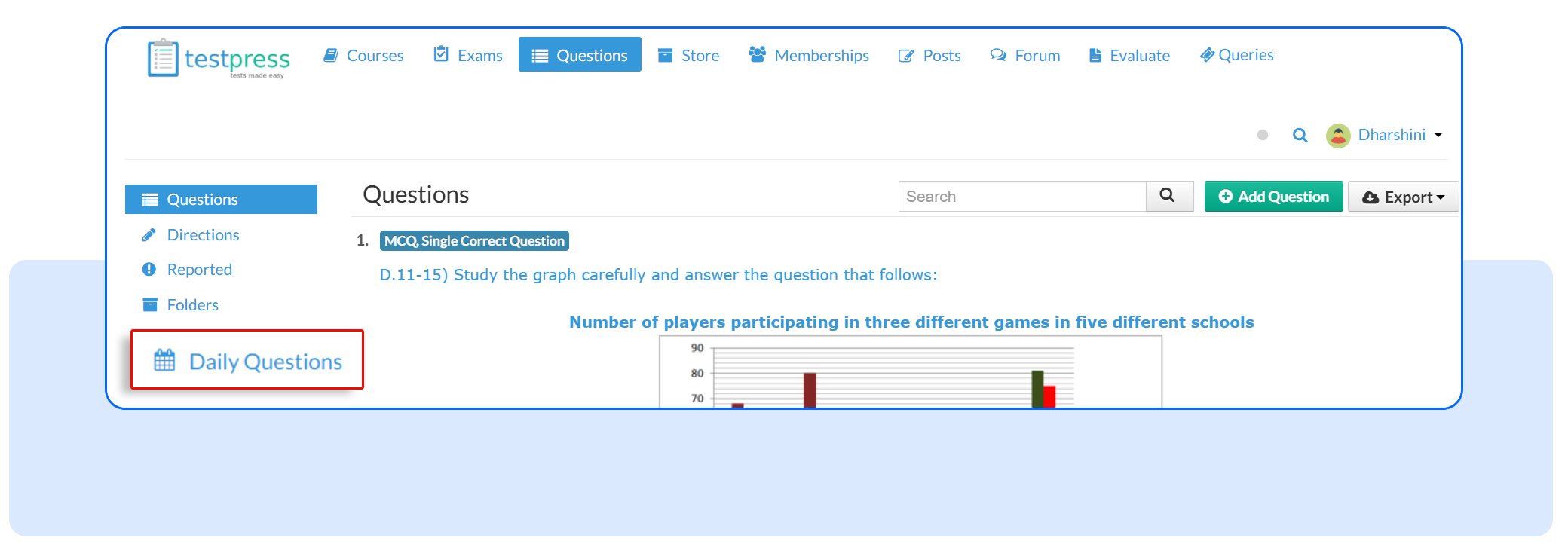
1. Create a QOTD Configuration
Go to Daily Questions under the Questions section.
2. Automatic Question Generation
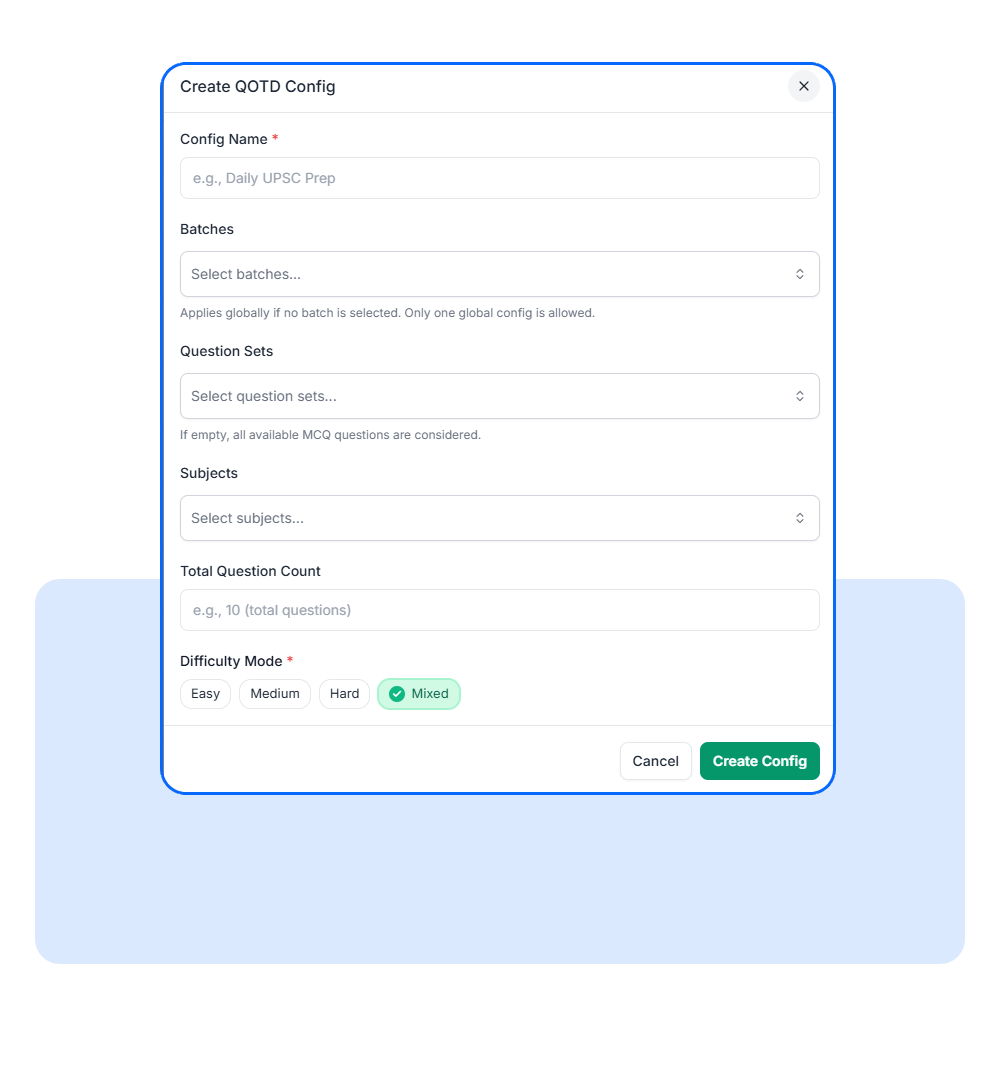
Select:
- Target batches or all users
- Question banks
- Subjects (optional)
- Difficulty settings
- Daily question count
3. Activate Daily Generation
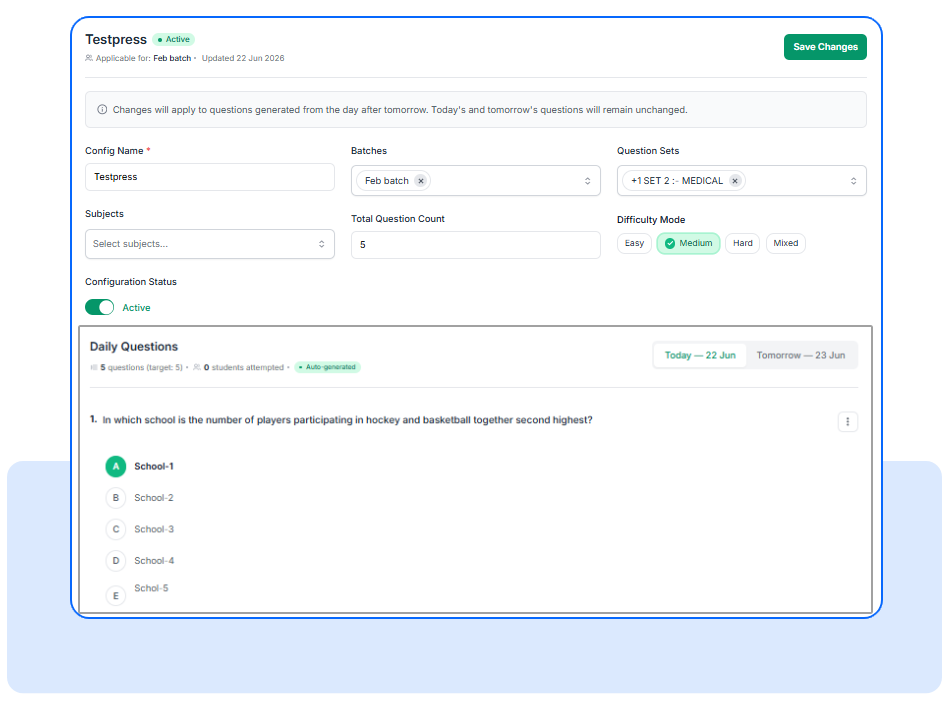
After saving the configuration, the system automatically prepares questions for the upcoming days.
Questions are generated using your selected criteria.
Student View:
1.Attempt Daily Questions
Students open Daily Questions from the sidebar. They see their daily question set. They attempt MCQs one by one.
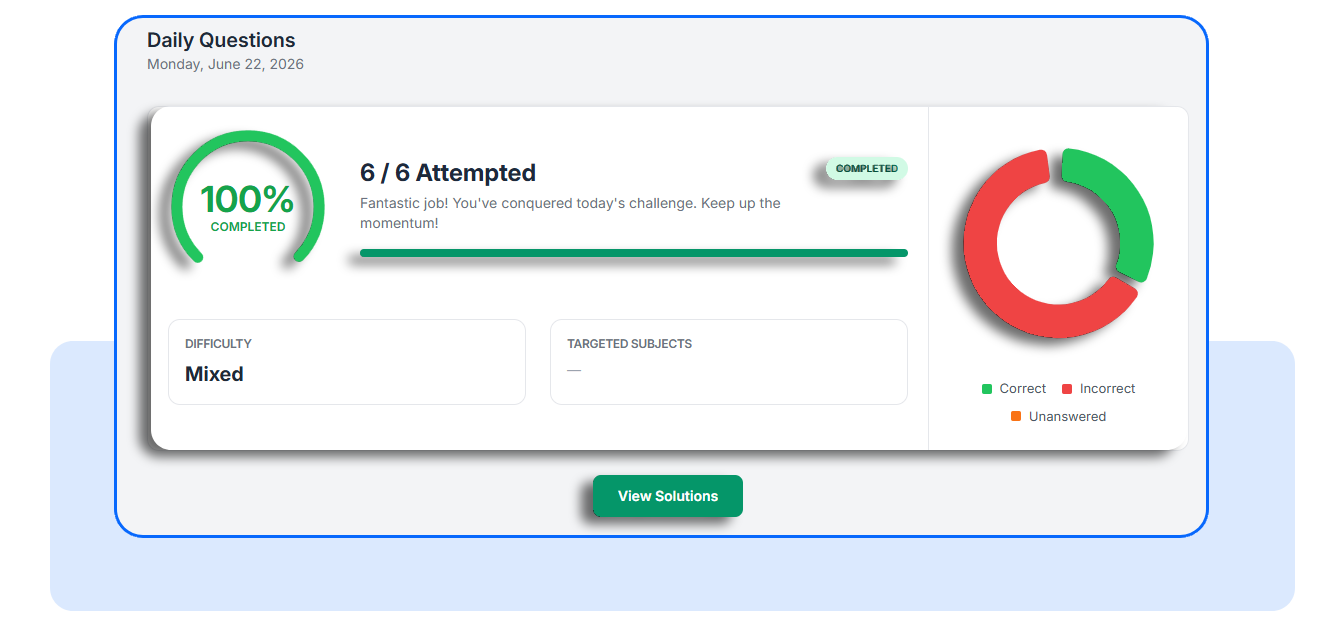
2.Instant Results and Solutions
After submission, students get immediate feedback. They see correct and incorrect answers. They can also view full solutions.
Frequently Asked Questions
Can I target specific learner groups?
Yes. QOTD can be configured for specific batches or applied globally across all users.
Can I change questions after they are generated?
Yes. Administrators can override question sets for today or tomorrow when needed.
What happens if there are not enough questions available?
The system applies fallback rules to find suitable questions. If no questions are available, it returns an empty response instead of a partial question set.
Start Building Daily Learning Habits
Question of the Day makes it easier to turn occasional learning into consistent practice. With automated question generation, flexible targeting, and quick daily exercises, institutions can encourage learners to engage more often without adding administrative overhead.
Explore Question of the Day in your LMS today and start creating a simple, scalable daily practice experience for your learners.
Have questions? Our team’s here to help - reach out to support.