
Introducing Staff Course Access Policies: Manage Staff Permissions in One Place

TL;DR
With the new Staff Course Access Policies in Testpress, you can:
- Create reusable policies and assign them to multiple staff members.
- Grant automatic access to all existing and future courses using the All Courses option.
- Update permissions in one place to grant or revoke access across covered courses.
- Add new staff to existing policies without configuring individual course permissions.
- Customize course-specific permissions using Inherit, Allow, or Deny without affecting shared policies.
You're setting up a new course for your institute.
The content is ready. Your faculty members are waiting to get started.
But there's one more task on your list: assigning the right staff members and configuring their course permissions.
You've done this for dozens of courses already. Now you have to do it again.
And if you miss someone? They might discover they can't access the course right when they need it.
Sound familiar?
Managing staff permissions shouldn't mean repeating the same assignments every time you create a course.
With the new Staff Course Access Policies feature in Testpress, you can define who gets access to which courses, what they're allowed to do, and manage those permissions from one place.
Set up a policy once, assign it to your staff, and let Testpress handle access across the relevant courses.
What's New: Centralized Staff Course Access Management
With Staff Course Access Policies, you can create, assign, and update staff permissions across multiple courses from one place.
1. Create Reusable Course Access Policies
Define permissions such as View, Edit, Download, or Delete in a single policy and assign it to multiple staff members.
Choose between two course scopes:
- All Courses: Covers all existing and newly created courses automatically.
- Selected Courses: Covers only the courses you choose.
2. Update Permissions Across Courses in One Go
Need to grant or revoke a permission for your faculty members?
Instead of updating permissions on every course individually, simply edit the existing policy.
Testpress automatically reflects the updated policy permissions across all covered courses for assigned staff members.
3. Add New Staff to Existing Policies
When a new staff member joins your institute, simply add them to an existing policy.
They automatically inherit the applicable permissions across all courses covered by that policy, without individual course assignments.
4. Automatically Grant Access to New Courses
By selecting All Courses in a policy, assigned staff members automatically receive the applicable permissions across all existing and future courses.
No need to configure permissions for existing courses individually or repeat assignments whenever a new course is created.
5. Customize Individual Course Permissions
Use Inherit, Allow, or Deny to customize a staff member's permissions on a specific course without modifying the shared policy.
You can also review their effective permissions and see exactly where their access comes from.
Why Staff Course Access Policies Matter
Imagine managing 50 courses with 10 faculty members. That's potentially 500 individual staff-course assignments to configure manually.
With reusable policies, you can manage the same access requirements through a single policy.
Here's how this update makes your work easier:
- Update once, apply everywhere: Grant or revoke policy permissions across all covered courses without editing individual assignments.
- Onboard staff faster: Add new staff members to an existing policy and automatically grant the applicable course permissions.
- Eliminate repetitive assignments: Automatically extend access to newly created courses with All Courses policies.
- Maintain consistent permissions: Standardize access for staff members with similar responsibilities.
- Retain granular control: Manage course-specific exceptions without affecting shared policies or overwriting existing direct permissions.
The result? Less administrative work, fewer permission errors, and greater control as your institute grows.
Create and Assign Staff Course Access Policies in Testpress
Getting started involves a few straightforward steps.
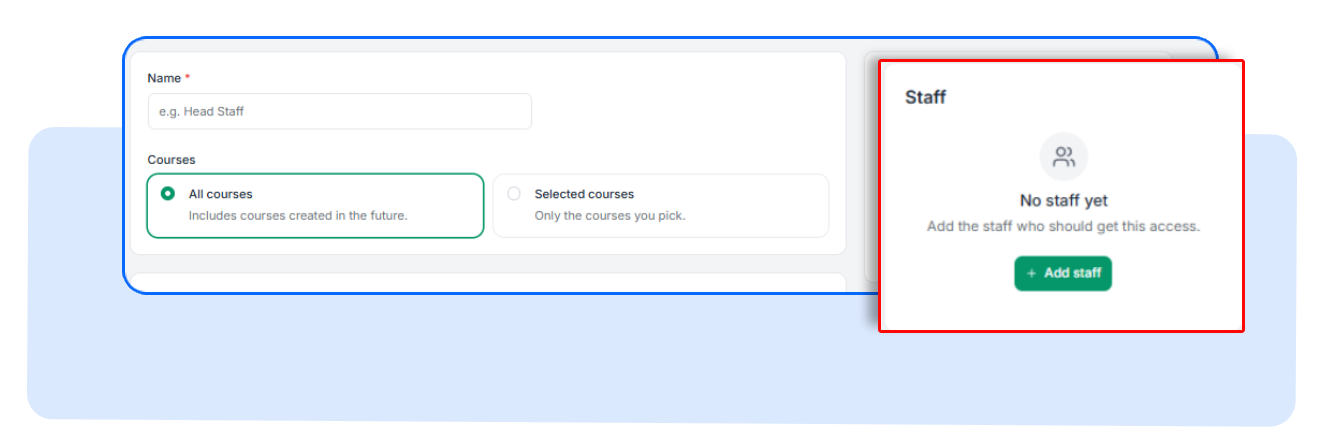
Step 1: Create a New Course Access Policy
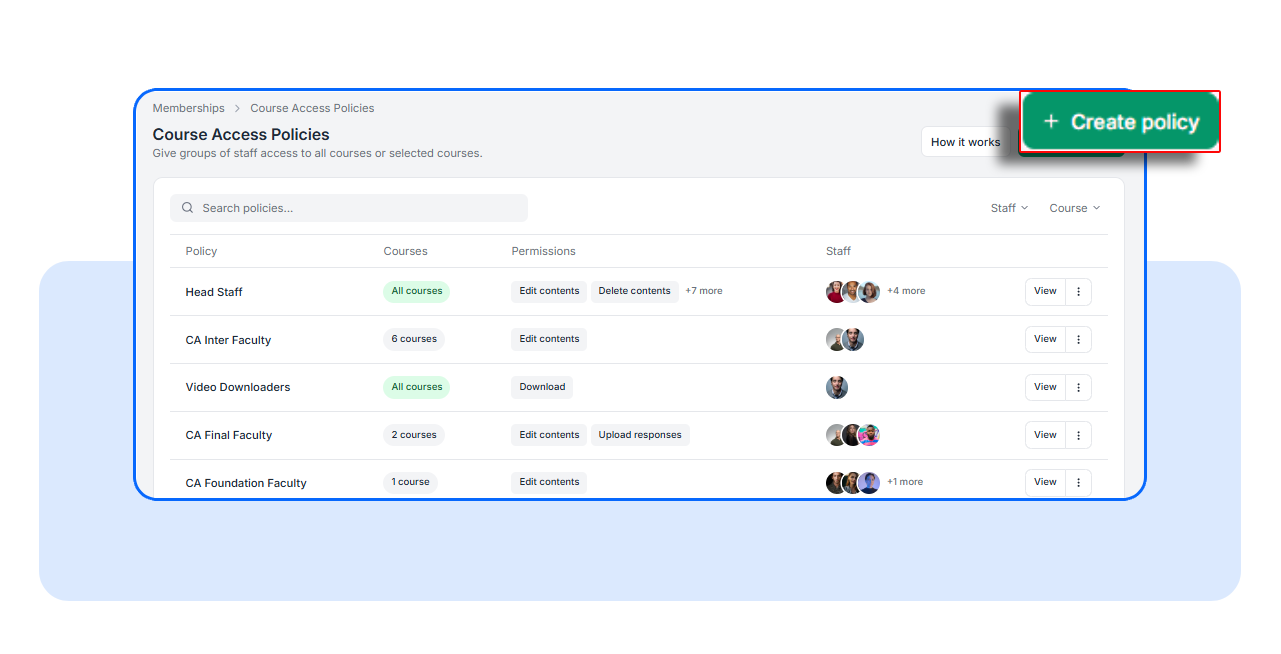
Open Staff Course Access Policies in your Testpress administration interface.
Select Create Policy.
Give your policy a descriptive name, such as "Faculty Course Access" or "Course Content Managers".
Step 2: Select Which Courses the Policy Covers
Choose one of the two available scopes:
- All Courses: Automatically grants applicable permissions across all existing and future courses.
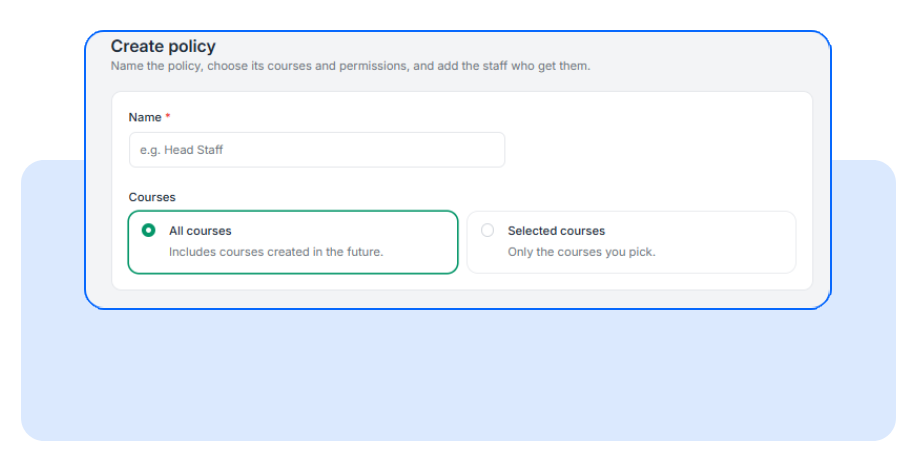
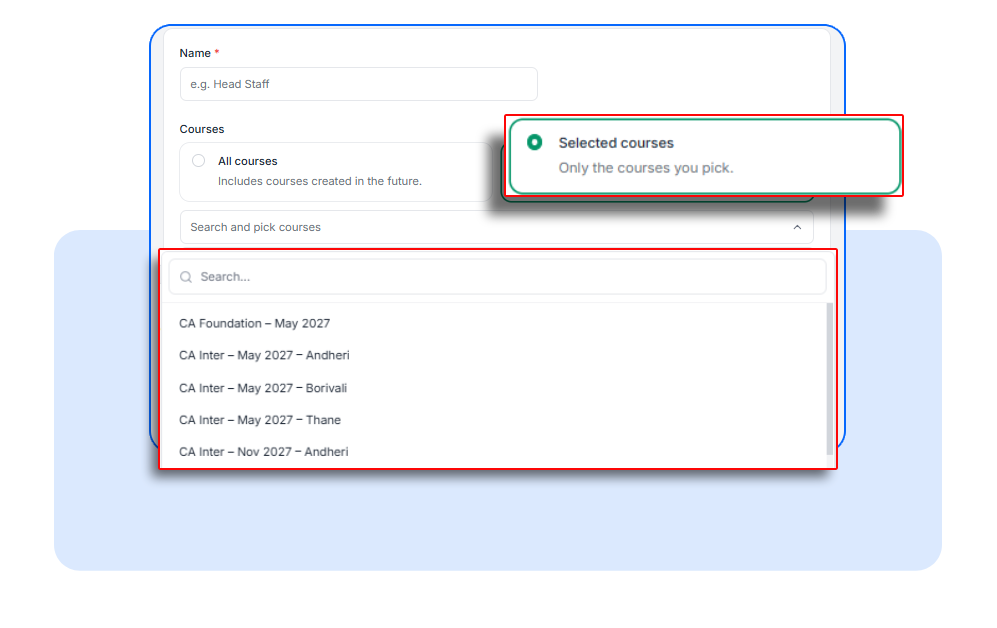
- Selected Courses: Grants permissions only for the specific courses you choose. If you choose Selected Courses, select the courses you want the policy to cover.
Step 3: Configure Course Permissions
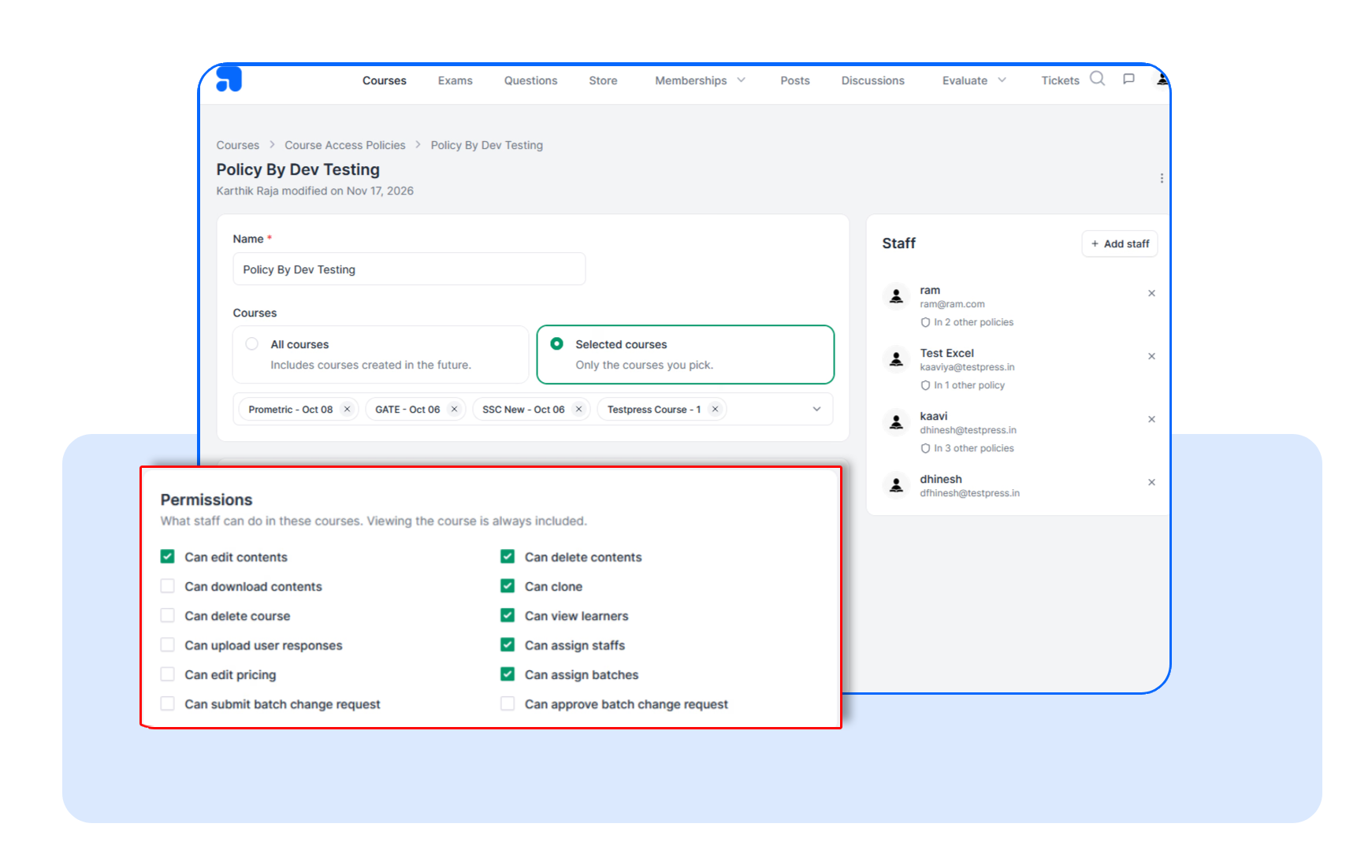
Choose the actions staff members should be allowed to perform.
Depending on their responsibilities, these might include permissions such as:
- View
- Edit
- Download
- Delete
Select only the permissions appropriate for that policy. Then save it.
Step 4: Assign Staff Members While Creating the Policy
While selecting the courses and configuring permissions, you can also add staff members to the same policy.
Simply choose the staff members who should receive access.
You can assign multiple staff members at once, and each staff member can belong to multiple policies.
Once you save the policy, the selected staff members receive the applicable course permissions.
Step 5: Customize Individual Course Permissions
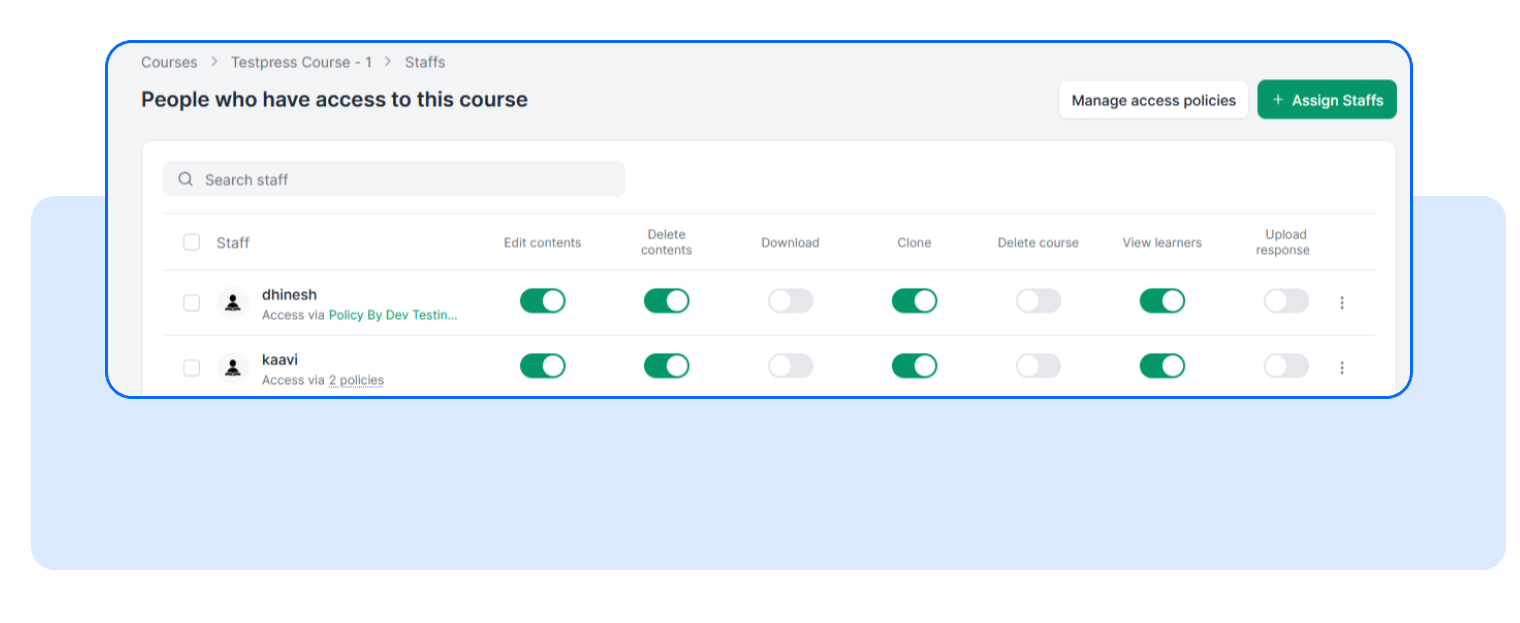
Open the course's staff-management page and select the staff member.
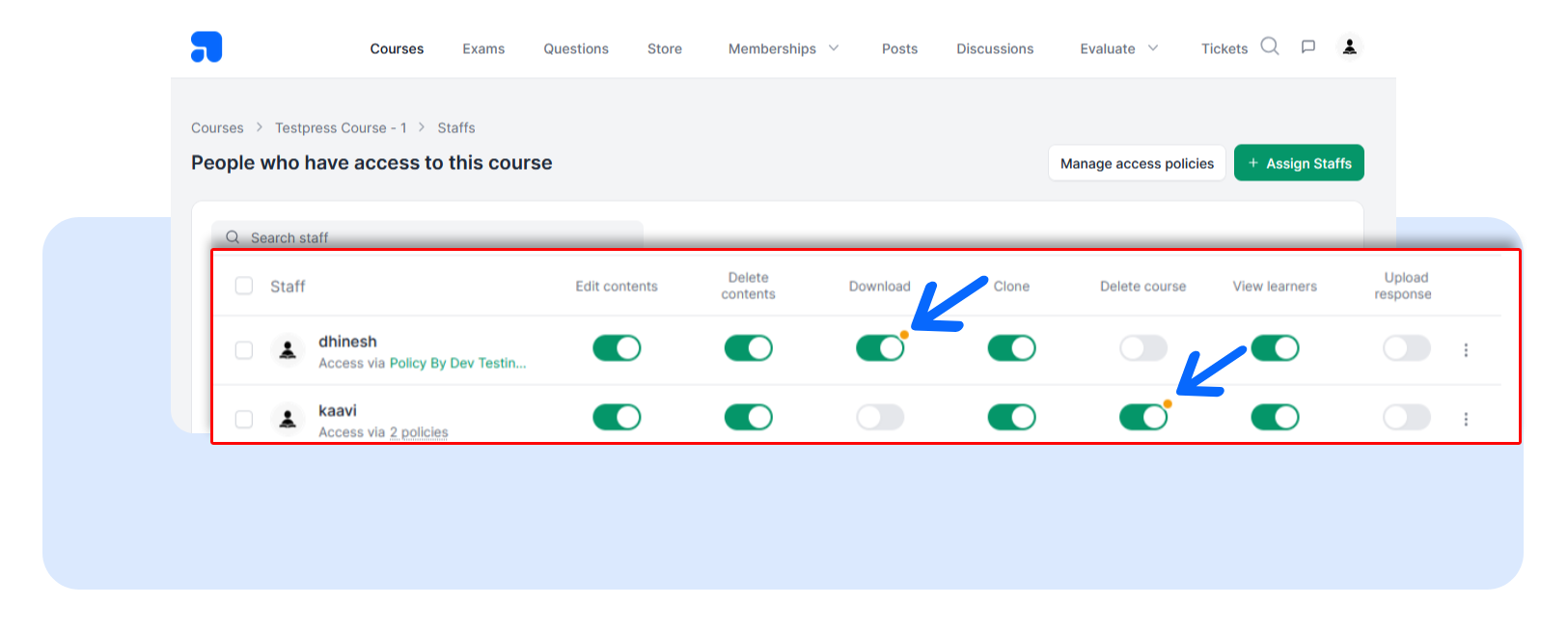
Choose from three permission options:
Inherit (Default): Follow the course access policy's permissions.
Allow: Grant a permission even if it's not included in the policy.
Deny: Block a permission even if it's granted by the policy or directly.
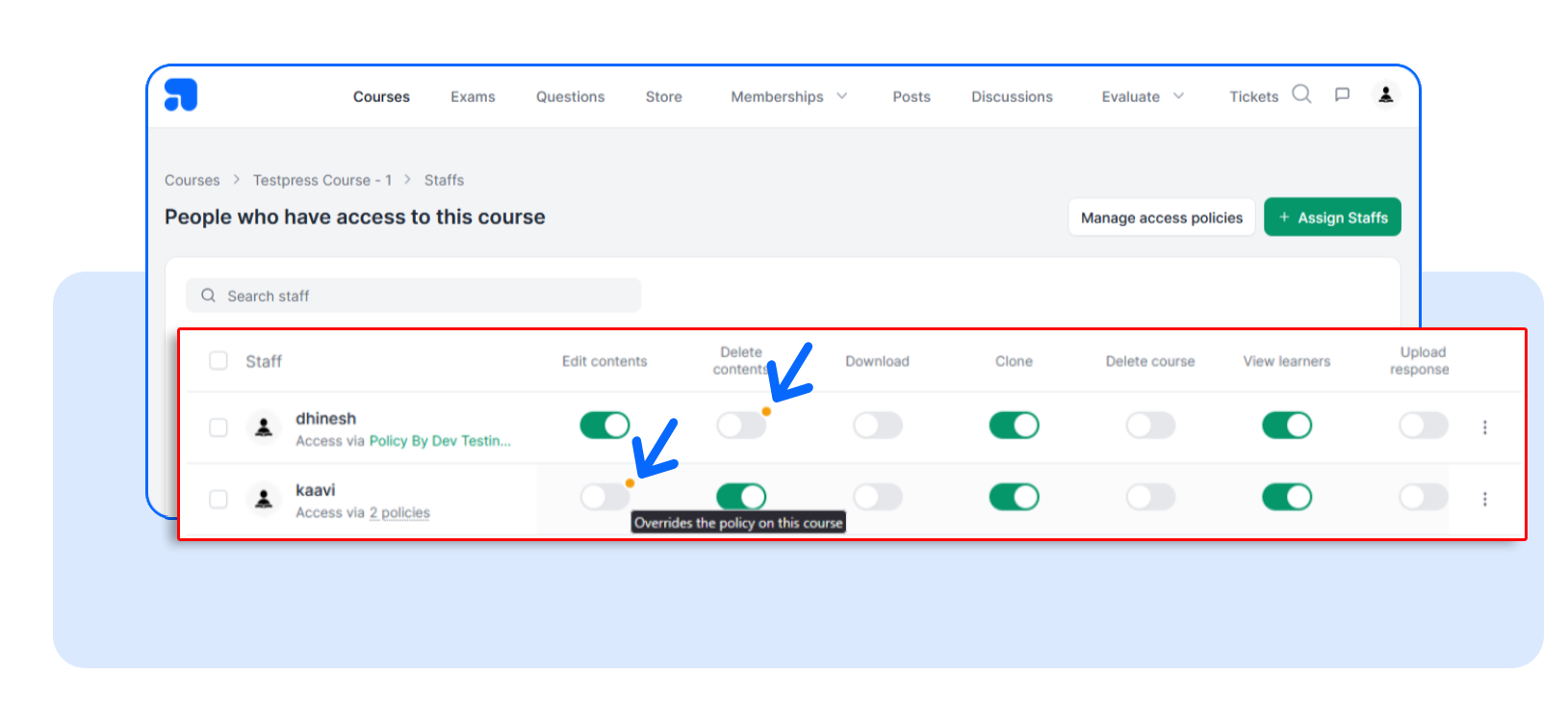
Save your changes without affecting the shared policy or other staff members.
Frequently Asked Questions
Will existing staff course permissions change when I assign a policy?
No. Assigning a policy doesn't overwrite existing direct course permissions.
Policy grants are combined with existing permissions, while explicit course-level Deny settings continue to take precedence.
Will staff automatically get access to newly created courses?
Yes, if they're assigned to an All Courses policy.
The policy automatically covers new courses, subject to the granted permissions, course-specific restrictions, and existing Role requirements.
Selected Courses policies cover only the courses explicitly included in them.
Can a staff member belong to multiple course access policies?
Yes. A staff member can belong to multiple policies, and permissions from all applicable policies are combined.
If a specific permission is explicitly denied on a course, that restriction takes precedence over policy-based grants.
Simplify Staff Course Access Management with Testpress
Your team should be able to focus on managing courses, creating content, and supporting learners, not repeatedly configuring the same permissions.
Whether you're onboarding faculty, adding new courses, or updating staff responsibilities, you can manage permissions centrally while keeping control over individual courses.
Explore Staff Course Access Policies in your Testpress admin panel when the feature is enabled for your institute, and create your first reusable policy to simplify staff access management.